AI Remix
Upload a track you made, type the genre you want, and the AI remix comes back as two new versions built on your song's melody and structure: acoustic, synth-pop, lo-fi, whatever you describe.
Sign in and the remix is made in the Studio. The credit price sits on the Generate button, and a run that fails is refunded.
One song, three styles, each an AI remix
The same 30 seconds of one song: the original, then two AI remix results made from it with a one line prompt each.
Original
Indie pop with piano and acoustic guitar, made on SongDuet
Acoustic remix
Prompt: a gentle acoustic cover with fingerpicked guitar and soft brushed drums
80s synth-pop remix
Prompt: an upbeat 80s synth-pop remix with a punchy drum machine and analog synth bass
Our test in November 2026, one Cover run per style in Simple mode. Each run gave two versions; we play one of each.
What remix means here
What it is. An AI remix is a new performance of your song in the style you describe, with fresh AI vocals or none. It can also continue a track into a longer song, or combine two songs on the Mashup tab.
What it is not. An editor for the original recording. You do not get stems to rearrange, tempo or key sliders, effects, loops or transitions between tracks.
Pick the kind of AI music remix
Every option sits in the same Studio dialog, except the mashup.
- Move the song to another genreCover, SimpleOne prompt describes the new version. The engine keeps the shape of your song and changes the arrangement and vocals.
- Steer style, title and wordsCover, CustomWrite a style line, a title and the lyrics you want sung.
- A backing track in the new styleInstrumentalThe remix comes back without vocals.
- Make the track longerExtendPick where in the track the new section starts, and it continues from there.
- Put two songs togetherMashup tabSplice lays the vocal of one song over the beat of another; AI blend performs a new song from both.
Want the arrangement to stay and only the singer to change? The AI cover maker swaps the voice instead, and with AI voice cloning that voice can be your own.
Making an AI remix, screen by screen
Screens from our synth-pop test, in order.
1.Drop the track and name the style
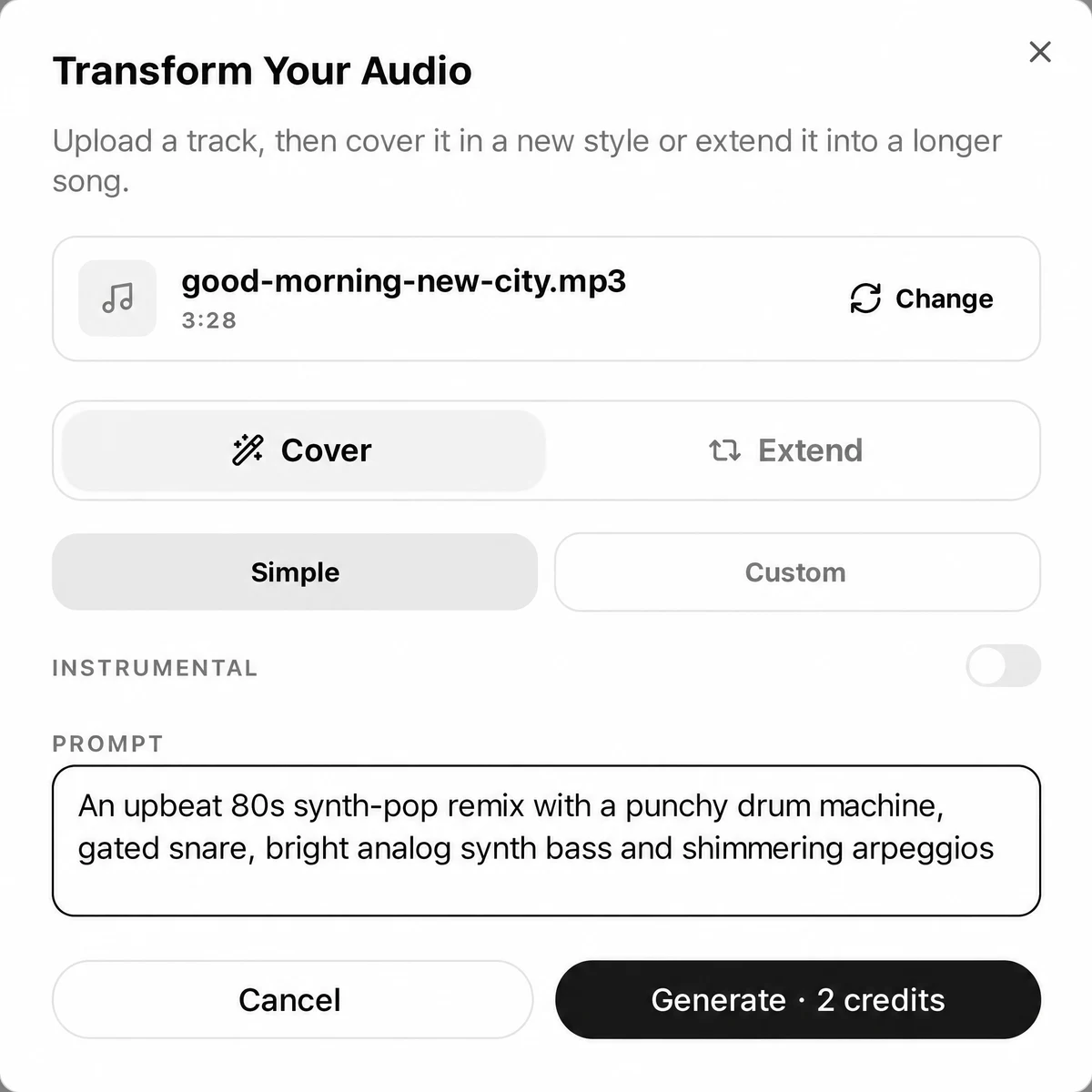
Drop your file above and sign in. The Transform Your Audio dialog opens holding it. Keep Cover selected, write the new style in Prompt, and press Generate; the button shows the cost.
2.Pick the better of two versions
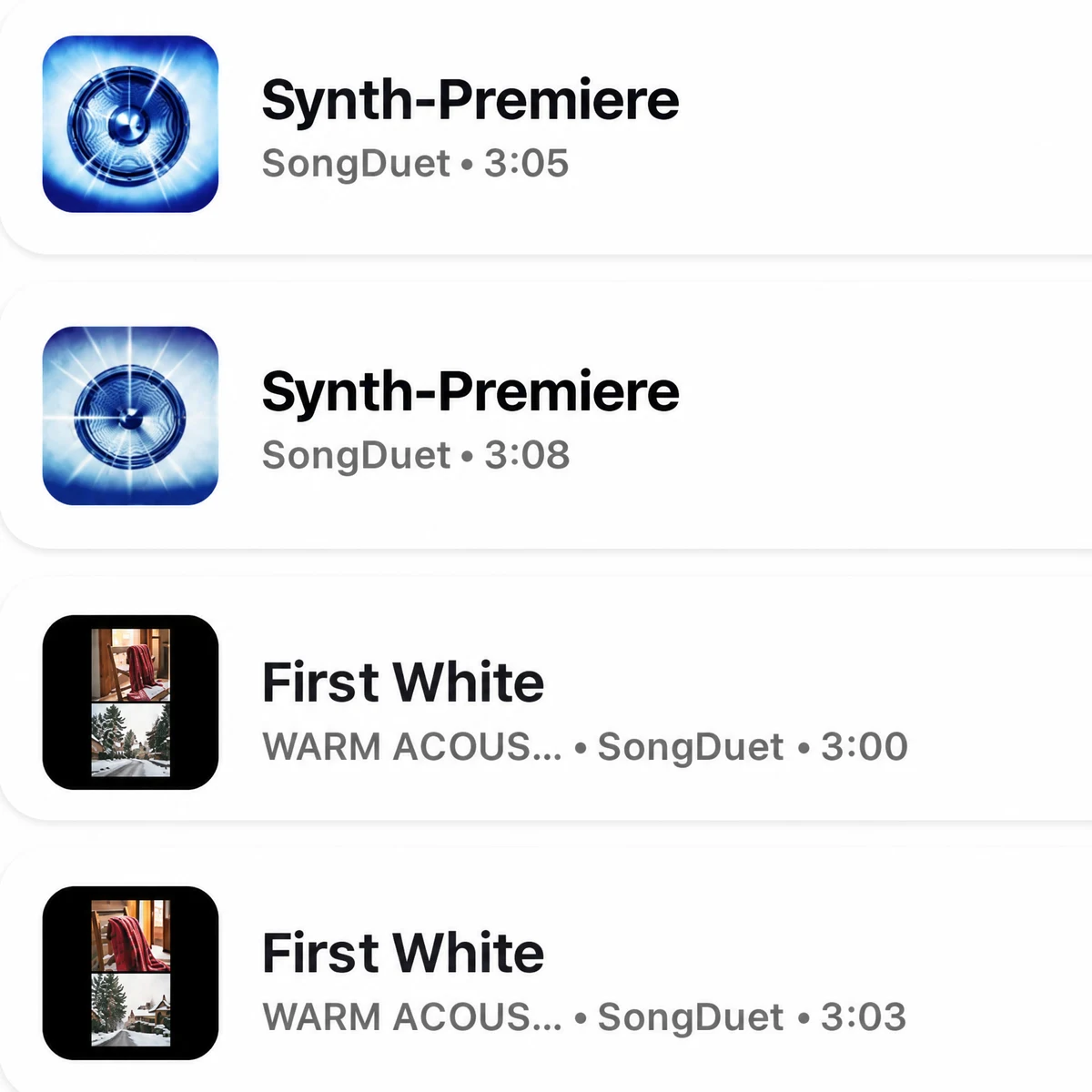
Each run gives two versions, saved as new songs at the top of your library. Play both, keep the one that works, download it as MP3 or WAV.
3.Two songs? Use the Mashup tab
In the Studio, open Split and then Mashup. Fill Vocal from and Beat from with two songs, choose Splice or AI blend, and listen to both rows together. The whole flow, screen by screen, is on the song mashup maker page.

Prompts that move a song to another genre
Name the genre, the drums, one or two instruments and the voice. Short and concrete works better than a list of adjectives.
| Target | Prompt to try |
|---|---|
| Acoustic (tested) | A gentle acoustic cover with fingerpicked guitar, soft brushed drums and a warm, intimate female vocal |
| 80s synth-pop (tested) | An upbeat 80s synth-pop remix with a punchy drum machine, gated snare, bright analog synth bass and shimmering arpeggios |
| Lo-fi | A relaxed lo-fi version with dusty drums, mellow electric piano and a soft, close vocal |
| House | A club house remix with four on the floor kick, offbeat hi-hats, deep bass and a soulful vocal |
| Rock | A driving rock version with crunchy electric guitars, live drums and a raw male vocal |
Limits before you remix
- Your own songs. Released recordings from streaming catalogs are refused, and the credits come back.
- Up to 8 minutes. Longer files are stopped before anything is charged. One track per run.
- No stem editing. You cannot mute, swap or move parts. Split the remix afterwards if you need stems.
- Tempo by description. You steer the groove by writing it, half time or driving four on the floor, never with a dial.
- No DJ tools. No decks, loops or transitions between songs.
- Files only. YouTube, TikTok and Spotify links are not taken.
Need parts after all? Run the finished remix through the stem splitter. Once a version is a keeper, you can master the mix in one click before you release it.
AI remix questions
What does an AI remix cost?
Each Cover or Extend run uses credits, shown on the Generate button. A run that fails, or a song that is refused, gets its credits back.
Can I remix a song by a famous artist?
No. Audio that matches a released recording from a streaming catalog is refused. Remix songs you wrote or recorded, or songs you made on SongDuet.
Does my original singing survive the remix?
No. A remix is performed again with new AI vocals, or with none when Instrumental is on. To keep your own vocal, split it out and build around it in your DAW.
Can I change the tempo or the key?
Not with knobs. You can ask for a feel in words, for example half time or a faster dance groove, and the new version follows the prompt more or less closely.
How long does a remix take?
It runs in the background and the versions appear in your library. In our tests both versions were ready within a few minutes.
What do I download?
Each version is a song in your library that downloads as MP3 or WAV.
Can I combine two songs into one?
Yes, on the Mashup tab of the Studio: take the vocal from one song and the beat from another, or let AI blend perform a new song from both.