Remove Background Noise
A voice-over with traffic behind it, a vocal soaked in room echo, a demo with a murmur under it: drop it here. You get back the cleaned recording and, on a second track, exactly what was removed. Audio files only, not video.
Remove background noise, then hear what came out
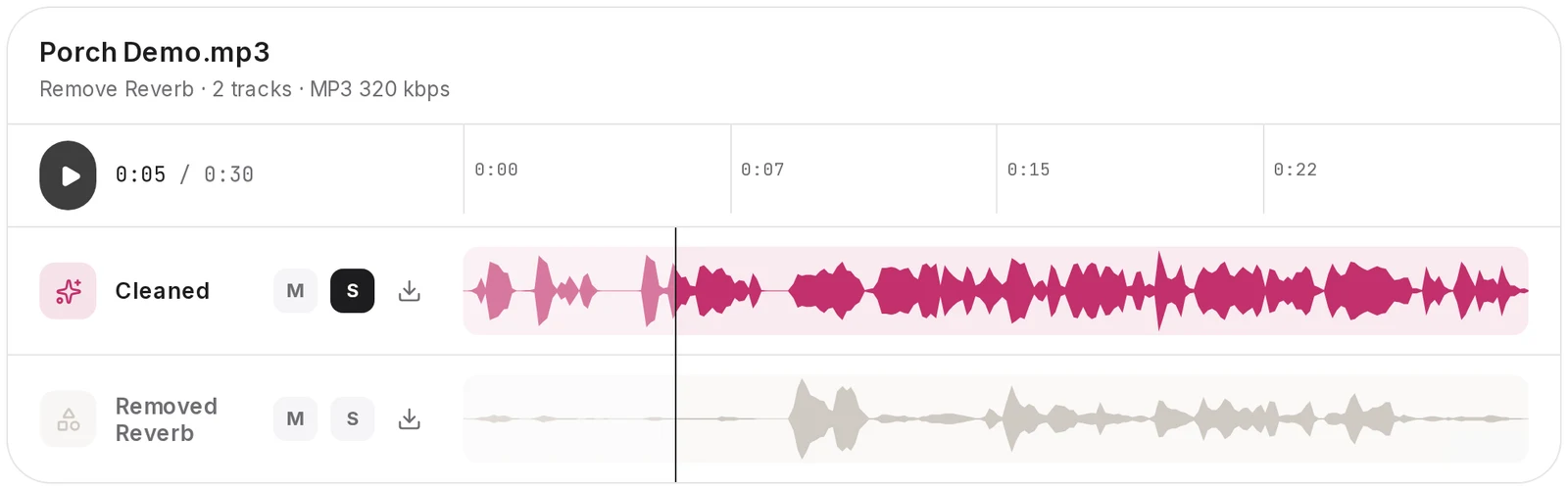
If a noise remover hides what it threw away, you cannot judge it. Here each job hands back a pair: the cleaned take, plus whatever noise or reverb came off it. Both play in the Studio first.
- Cleaned: your recording with the background noise taken out
- Removed Noise: everything that was taken out, on its own track
- Words in the removed track mean the voice was cut too
Very heavy noise can still leave artefacts in the cleaned track. Listening to both tracks is how you tell.
- Cleaned
- Removed Noise
Background noise remover: two clean-ups, no settings
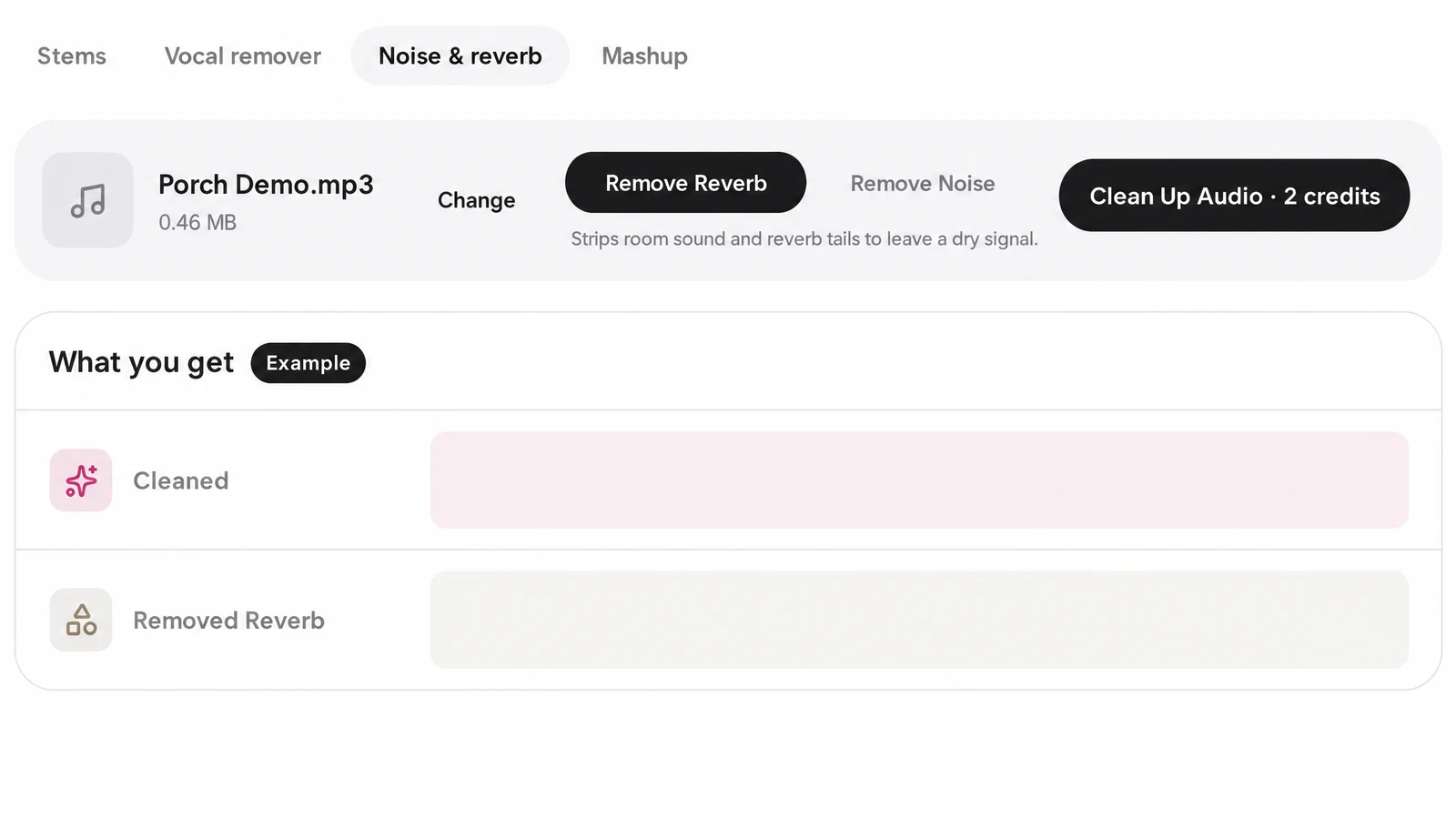
No noise sample to capture and no frequency to hunt down. Denoise audio or remove reverb by picking one option on the Noise & reverb tab and pressing Clean Up Audio. You see the credit cost on that button first.
Remove Noise
For background noise under speech, singing or a whole mix. The Removed Noise track comes with the cleaned audio, so you can hear for yourself whether a hum went.
Remove Reverb
For room echo or reverb baked into a take. You get the dry audio and a Removed Reverb track. Very heavy reverb can leave artefacts in the dry track.
One clean-up per run. To remove both noise and reverb, run the cleaned file again with the other option.
Noise is not the same job as a singer. To take the voice out of a finished song, use the vocal remover, which gives you the acapella and the instrumental instead.

Clean up audio when you only got one take
Live sets, interviews, the vocal that finally felt right. When you cannot record it again, clean up the voice recording you have: upload the file, or pick a track already in your SongDuet library.
Dry, quiet takes are also what an AI voice clone learns best from, so clean your recordings here before you train a singing voice on them.

Works on
- Vocals, voice-overs and full mixes you upload
- Songs you made on SongDuet, straight from your library
Does not
- Video files: export the sound as an audio file first
- Several files at once: one file per run
- One named sound on request, like a siren
- A voice buried under very heavy noise may not come back clean
How to remove background noise from audio
Six steps, in the order the Studio shows them.
1.Drop the recording
Drag one file into the box at the top of this page: MP3, WAV, FLAC, M4A, AAC or OGG, up to 100MB.
2.Sign in
The Studio opens with your file attached and asks you to sign in. Your browser holds the file for 15 minutes; after that, the Studio asks for it again.
3.Choose a clean-up
On the Noise & reverb tab, pick Remove Noise or Remove Reverb and press Clean Up Audio. The credit cost is on the button, and the clean-up is usually done within a few minutes.
4.Listen in the player
The multitrack player plays both tracks: the cleaned audio, and the noise or reverb that came out. Check the voice here, before you download.
5.Download MP3
Each track downloads on its own as an MP3 at 320 kbps. A copy of the result stays in your library.
6.Go again, or carry on
Want noise and reverb both gone? Feed the cleaned take back in with the other option. Otherwise it is ready for your next tool; for a full mix, that is often a pass to master the mix online at streaming loudness.
Before your first clean-up
How do I remove noise from audio without learning audio editing?
Drop the file on this page, sign in, pick Remove Noise and press Clean Up Audio. There is no noise sample, FFT size or notch frequency to set. You get the cleaned audio and the removed noise back as two MP3 tracks.
My vocal was sung in an echoey room. Can that be fixed?
Often, yes. Remove Reverb returns a dry version of the take, with the room sound it took away on a second track. Very heavy reverb can leave artefacts, so listen to both before you download.
Will cleaning make my voice sound hollow or robotic?
With very heavy noise it can, and we do not promise it never will. That is why the removed noise comes back as its own track: if you hear syllables or breaths in it, the voice was affected. You find out before you download anything.
Can I remove background noise from a video?
Not directly. The tool works on audio files only and does not keep the picture. Export the sound from your video editor, clean it here, then sync it back under the picture.
Can I remove both noise and reverb from one recording?
Yes, in two runs. Each run does one clean-up. Run one option, pick the result from your library, then run the other.
Can it get rid of hum or buzz?
Run Remove Noise and listen to the Removed Noise track to hear whether the hum went. Results depend on the recording, and very heavy noise can leave artefacts in the cleaned track.
Can it pick out a single sound, say a barking dog, and leave the rest?
No. Remove Noise takes out background noise as a whole. It cannot pick one named sound, such as a bark or a siren, and leave everything else.
What kinds of audio file does it take?
MP3, WAV, FLAC, M4A, AAC or OGG, one file per run, up to 100MB. Links from YouTube or streaming sites will not work, but you can pick any track already in your SongDuet library.
What does a clean-up cost?
Each run uses credits, and the Clean Up Audio button shows the cost before you press it. A new account comes with welcome credits to begin with. A run that fails returns its credits to you.
Is anything processed on my own machine?
No. Your file is uploaded and cleaned on our servers, so you need to be online and signed in. The finished tracks are saved to your library.