Metronome
Set the metronome to any tempo from 40 to 240 BPM and 2 to 7 beats per bar, then press Start or the Space bar. Beat one clicks higher so you always know where the bar begins. It costs nothing and asks for no sign up.
Beats per bar
Press Space to start or stop
Start the metronome in three moves
The controls from top to bottom, in the order you use them.
1.Set the tempo
The big number on the metronome is the tempo in BPM, beats per minute. It opens at 120. Drag the slider to get close, then press minus or plus to move one BPM at a time until it reads the number you want.
2.Choose beats per bar
Under the slider, pick 2, 3, 4, 5, 6 or 7. That is how many clicks make one bar, and the first of them is the accent. Pick 4 for most pop and rock, 3 for a waltz. For 6/8 and 12/8, see the table below.
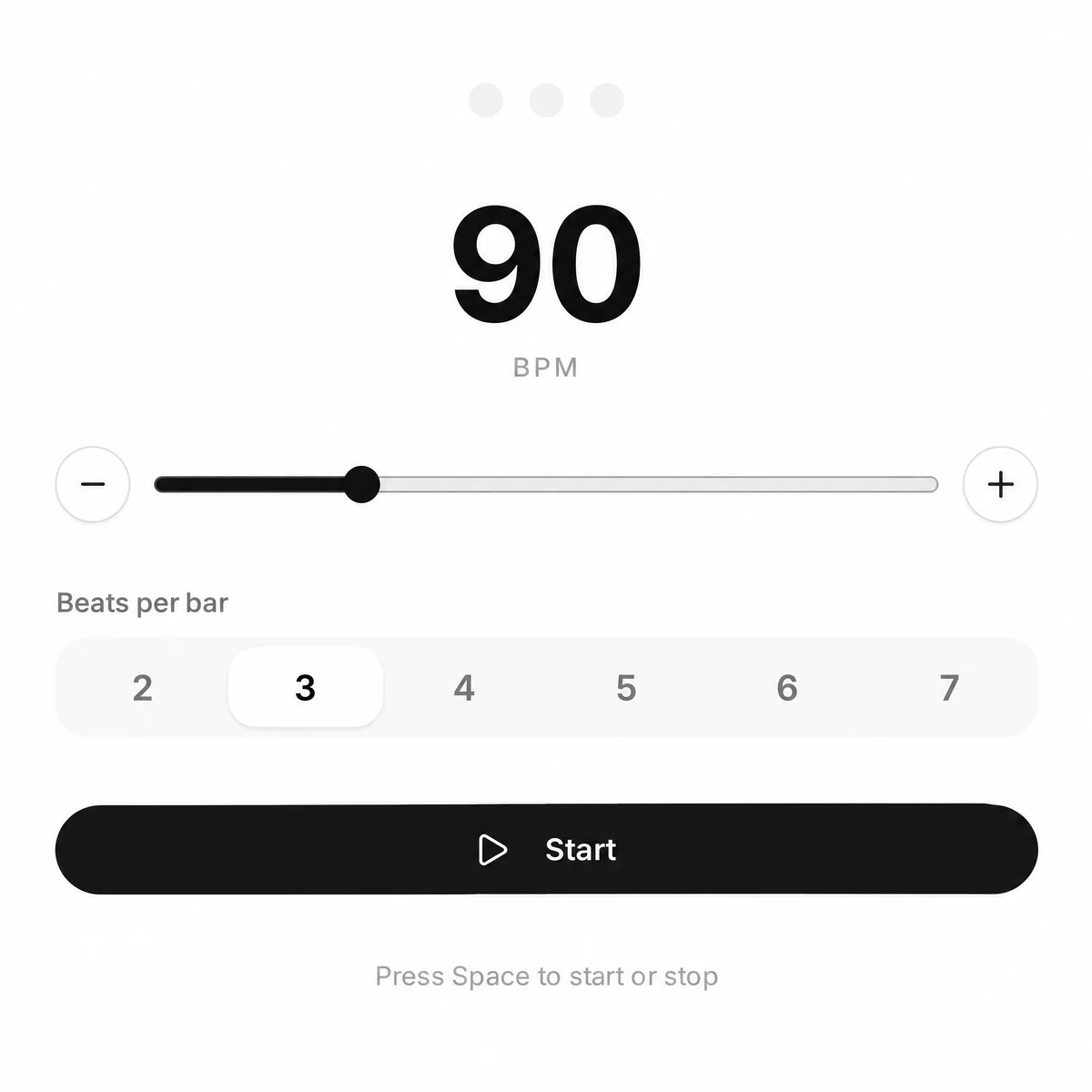
3.Press Start or the Space bar
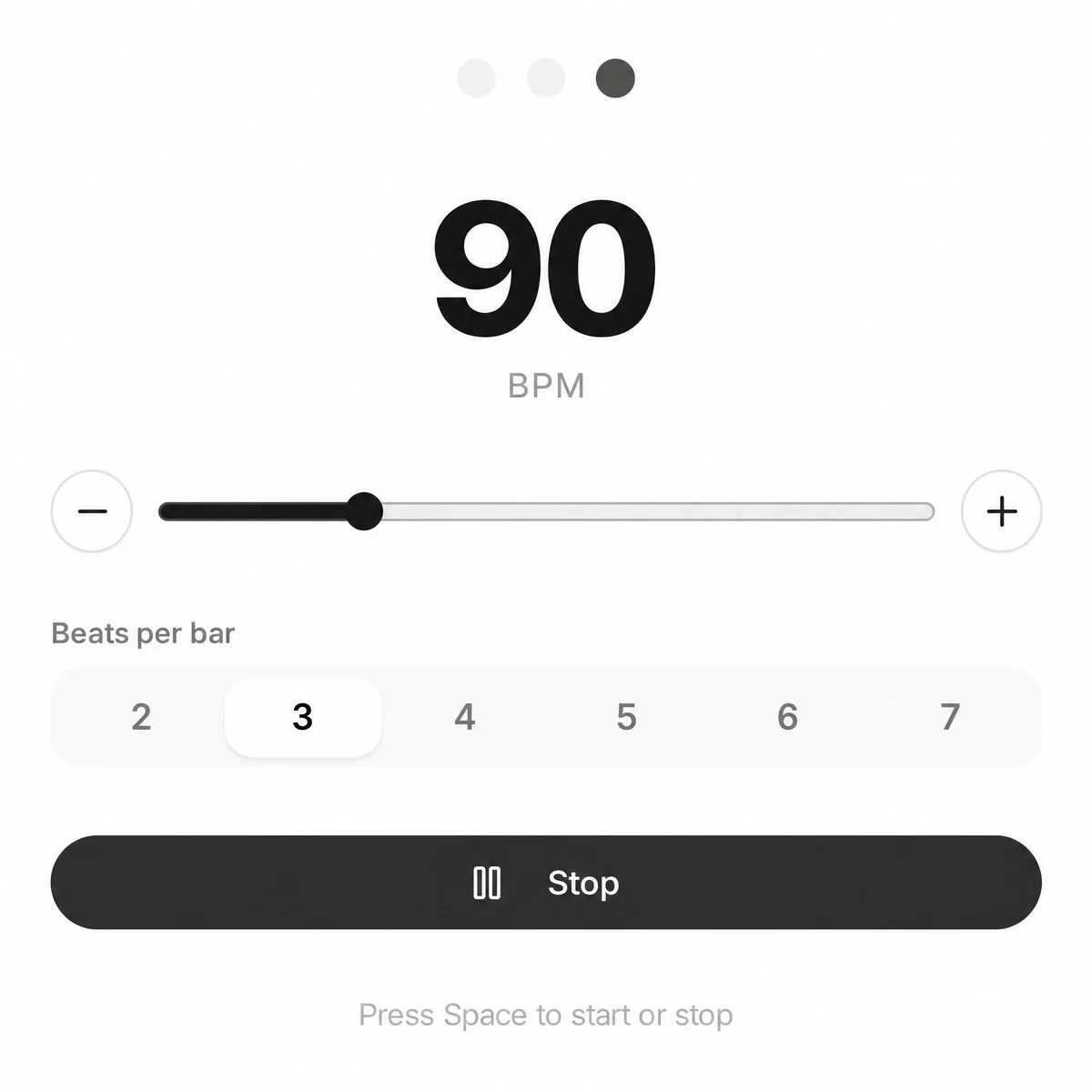
The click starts at once. Beat one sounds higher and louder than the rest, and the row of dots lights up on every beat, so you can follow it by eye too. Change the tempo or the beats per bar while it plays; it keeps going. Press Stop or Space again to end.
Time signatures with 2 to 7 beats per bar
The metronome counts beats, not note values, so the trick is choosing what one click stands for. This is how to set the common meters.
| Time signature | Beats per bar | One click is |
|---|---|---|
| 2/4 | 2 | Quarter note |
| 3/4 | 3 | Quarter note |
| 4/4 | 4 | Quarter note |
| 5/4 | 5 | Quarter note |
| 2/2 (cut time) | 2 | Half note |
| 6/8, felt in 2 | 2 | Dotted quarter |
| 6/8, counted in 6 | 6 | Eighth note |
| 7/8 | 7 | Eighth note |
| 9/8 | 3 | Dotted quarter |
| 12/8 | 4 | Dotted quarter |
Set the tempo of the note in the last column, as the score gives it. Only 6/8 counted in 6 needs a sum: three times the dotted quarter tempo, so a song at 60 becomes 180. Slow 6/8 ballads and most 12/8 blues feel better with the click on the dotted quarter: fewer clicks, and your hands fill in the eighths.
Tempo words in BPM
Sheet music often gives a word instead of a number. These are the usual ranges; editions and composers differ, so start in the middle and trust the music.
| Marking | BPM | Feel |
|---|---|---|
| Largo | 40 to 60 | Very slow and broad |
| Adagio | 66 to 76 | Slow, at ease |
| Andante | 76 to 108 | A walking pace |
| Moderato | 108 to 120 | Moderate |
| Allegretto | 112 to 120 | Fairly quick, lighter than allegro |
| Allegro | 120 to 156 | Quick and bright |
| Vivace | 156 to 176 | Lively and fast |
| Presto | 168 to 200 | Very fast |
| Prestissimo | Above 200 | Flat out, but still under control |
Where the words came from and how M.M. numbers work on a score: our guide has the tempo markings explained, from Grave to Prestissimo.
Practice setups for drums, guitar and piano
The same metronome click, set up differently for each instrument. Start slow enough to play it right, then raise the tempo in small steps.
Slow and clean first
A tempo you can play without mistakes teaches your hands more than a fast one you scramble through. Play a passage four times in a row cleanly, then press plus two or three times and play it again.
Watching the lights helps when the click hides under a loud drum kit or an amp turned up. Beat one is the larger dot.
Once the groove holds against the click, set the same tempo in the beat maker and program a drum beat to play along with instead.
- Drums: lock a groove to the click4 beats, around 70 BPMPlay the groove for four bars. Only when four bars in a row feel clean, press plus a few times and go again. For a backbeat feel, set half the tempo and 2 beats per bar, and hear the clicks as beats 2 and 4.
- Guitar: even strumming and picking4 beats, 60 to 80 BPMPlay two notes per click with alternate picking, down on the click and up between. Keep the strumming hand moving even when you skip a strum, so the click stays in the same place under your hand.
- Piano: scales and slow pieces4 beats at 60, or 3 for a waltzPlay scales four notes per click with each hand alone, then together. For a piece marked andante, start below the marking from the table above and work up to it over a few days.
- Odd meters: 5/4 and 7/85 or 7 beatsCount the bar out loud with the click until the accent on beat one stops surprising you, then play over it. The click gives one accent per bar, so the inner grouping, such as 2+2+3, is yours to feel.
Tune before you start: the guitar tuner and the chromatic tuner each run on their own page, so keep the click going here.
The online metronome in numbers
Read from the metronome itself, so you know what it does before you rely on it.
| Tempo | 40 to 240 BPM; it opens at 120 |
|---|---|
| Changing the tempo | The slider covers the whole range; minus and plus move one BPM per press |
| Beats per bar | 2, 3, 4, 5, 6 or 7; it opens at 4 |
| Accent | Beat one clicks higher (C5) and louder; the other beats click on C4 |
| Lights | One dot per beat; the dot of the beat being played lights up, beat one larger |
| While it plays | Tempo and beats per bar change without stopping or restarting the click |
| Keyboard | Space starts and stops it |
| Sound | Synthesized in your browser; nothing is uploaded and there is no account |
| Devices | Desktop and phone browsers; on a phone the sound starts with the first tap on Start |
What this metronome leaves out
It does one job: a steady click with an accent. Here is what it does not do, and the closest way around each.
- No subdivisions. The metronome clicks once per beat. For eighth notes in 4/4 at 80, set 160 BPM and 4 beats; the accent then marks beats one and three. For triplets at 80, set 240 BPM and 3 beats, so each accent is a quarter note.
- No tap tempo. You cannot tap a tempo in or read one from a song here. Set it with the slider and the minus and plus buttons.
- One click sound. There is no choice of sound, no drum sounds and no volume control on the page. Use your device volume.
- No silent mode. The lights always come with the click. There is no setting that shows the beat without sound.
- No typed BPM. There is no box to type a number. Drag close with the slider and finish with minus and plus.
- One accent per bar. There is no second accent on beat four of 6/8 and no accent pattern such as 2+2+3. Felt in 2 with 2 beats per bar is the closest setting.
- Nothing is saved. There are no presets or setlists. The metronome opens at 120 BPM and 4 beats every time.
Playing along with a track you have as a file? The song BPM finder reads its tempo for you; set the slider to that number and the click lines up with it.
Metronome questions
Is this metronome free?
Yes. It runs in your browser with no account, no sign up and nothing to install. The click is made on your device, so nothing is uploaded.
What is a metronome used for in music?
It gives a steady pulse at a set tempo so you can practise in time, find where you rush or drag, and raise the speed of a passage in small steps. The accent on beat one tells you where each bar starts.
How fast is 60 or 120 BPM?
BPM means beats per minute. 60 BPM is one click every second and 120 BPM is two clicks every second. This metronome runs from 40 to 240 BPM.
How do I set the metronome for 6/8?
For a song felt in two, set 2 beats per bar at the dotted quarter tempo, for example 60. To hear every eighth note, set 6 beats per bar at three times that tempo, 180 in the same example. Only beat one is accented either way.
Will the click play on a phone?
It does, in Safari or Chrome on the phone. The first tap on Start is what lets the sound out, since phones hold back web audio until you touch the page. Leave the tab in front while you practise.
Can I change the tempo while it plays?
Yes. Moving the slider, pressing minus or plus, or picking another number of beats per bar changes the click on the next beat without stopping the metronome.
Is there a tuner with this metronome?
Not on this page. SongDuet has a guitar tuner and a chromatic tuner on their own pages; open one in another tab and keep the metronome running here.