How to Make Beats
Here is how to make beats from nothing. A beat is a short drum pattern that loops, and you build it in layers: tempo, kick, snare, hats, then feel and variation. The steps below work on any drum machine or DAW, with patterns written out and audio for each stage.
What you need to make beats
Less than you think. A computer or phone and a pair of headphones will do for the first hundred beats.
- A step sequencerA grid of drum rows and steps you click on and off. Nothing to learn but the grid, so it is the fastest way to understand how a beat is built.Move on when you want your own samples, melodies, or a full song arrangement.
- A DAWSoftware for whole tracks: GarageBand, FL Studio, Ableton Live, Logic Pro, Reaper and others. Drums, samples, instruments, arrangement and mixing in one place.Every DAW reads MIDI, so patterns from a step sequencer carry over.
- Extras, laterHeadphones that let you hear the low end, a pad controller or small MIDI keyboard for playing parts in by hand, and sample packs.None of these is needed to start. Every pattern on this page can be clicked in with a mouse.
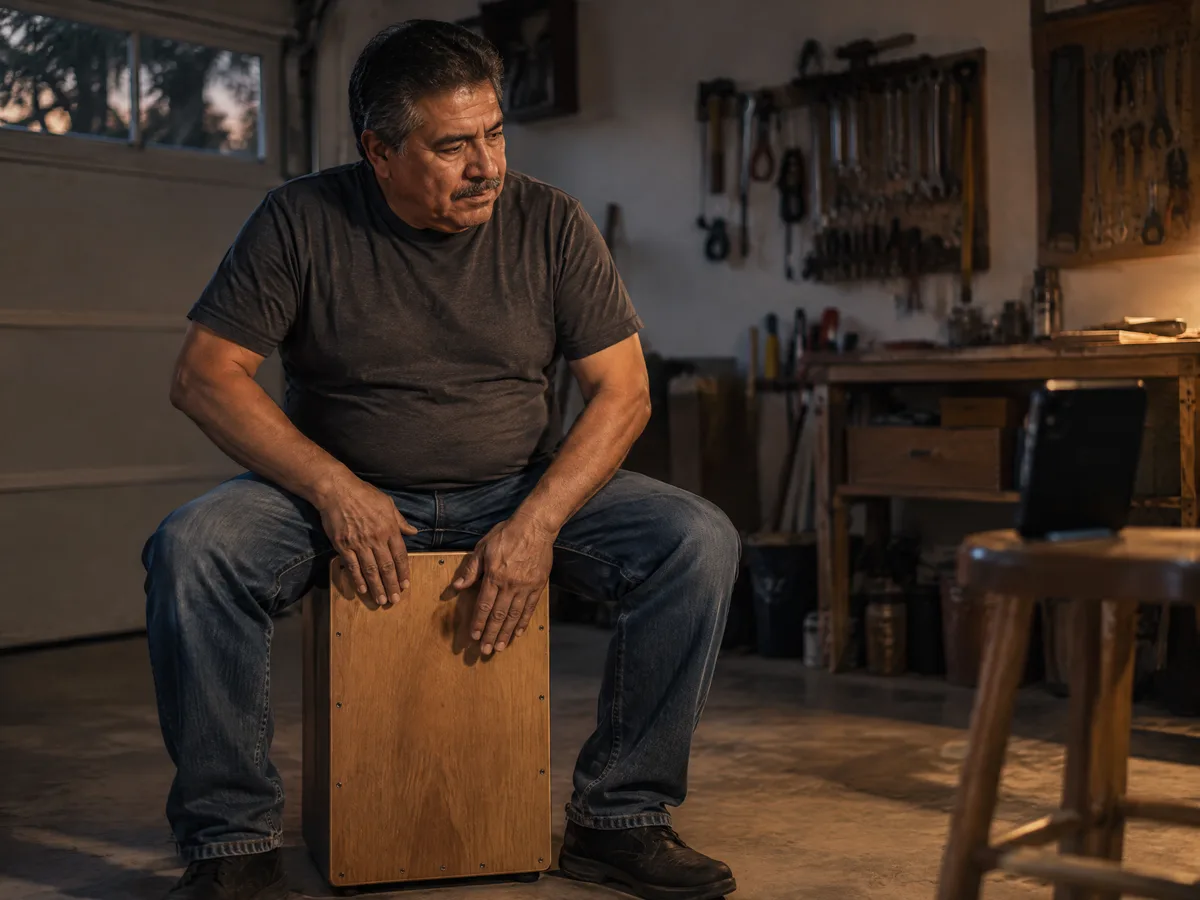
Start from any rhythm you can play
A cajon, a table top or your knees will do. Tap the groove, record it on your phone, then rebuild it hit by hit on a grid, where you can see which step each sound lands on.
If the taps drift, play them against a click with accents first, so beat one is always where you expect it.
How to make beats in eight steps
The order most producers follow, whatever the genre. Each step builds on the one before.
1.Choose a tempo
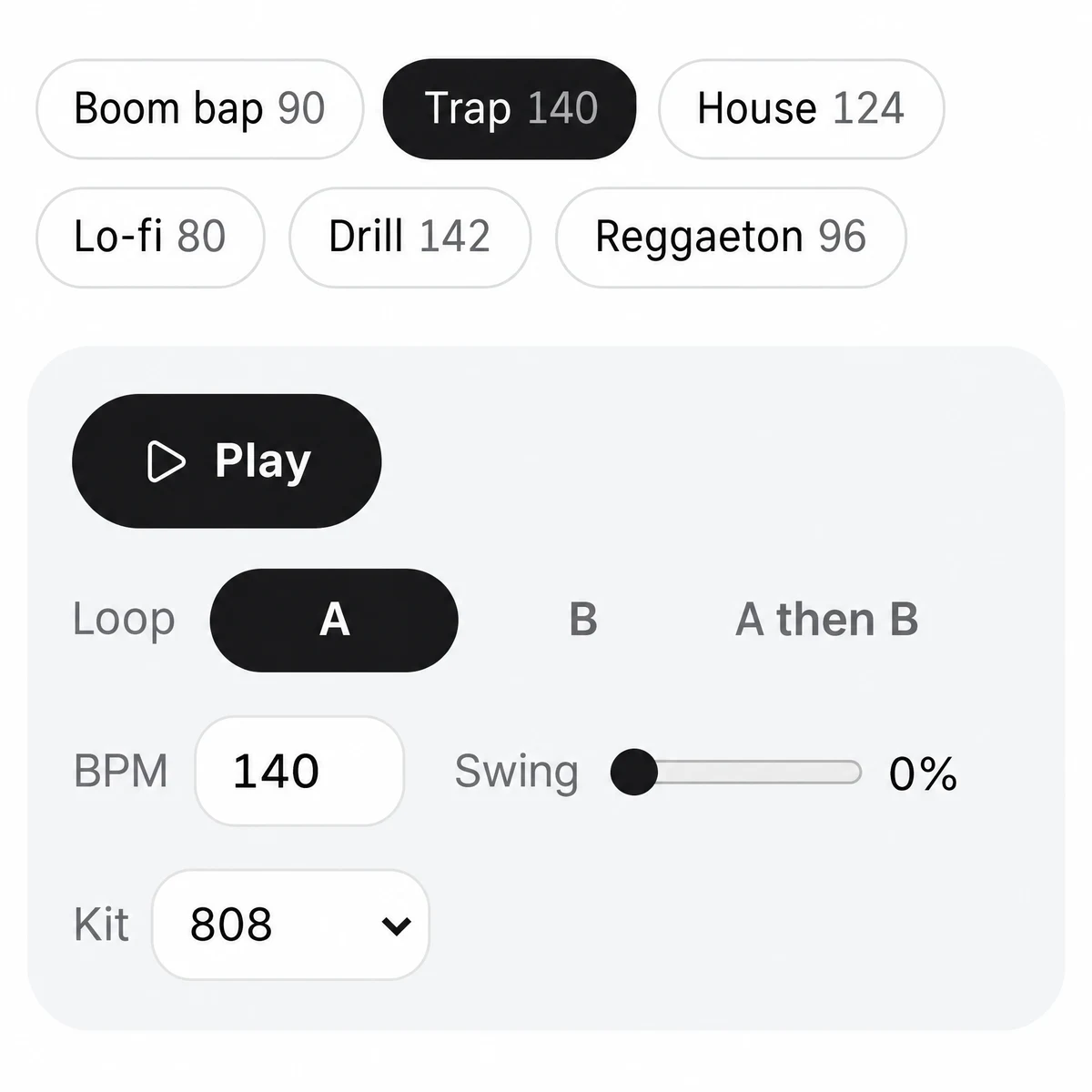
Tempo sets the genre more than anything else. Pick a BPM from the recipe table below. On a 16 step grid each step is a sixteenth note, so steps 1, 5, 9 and 13 are the four beats of the bar.
2.Put the kick down
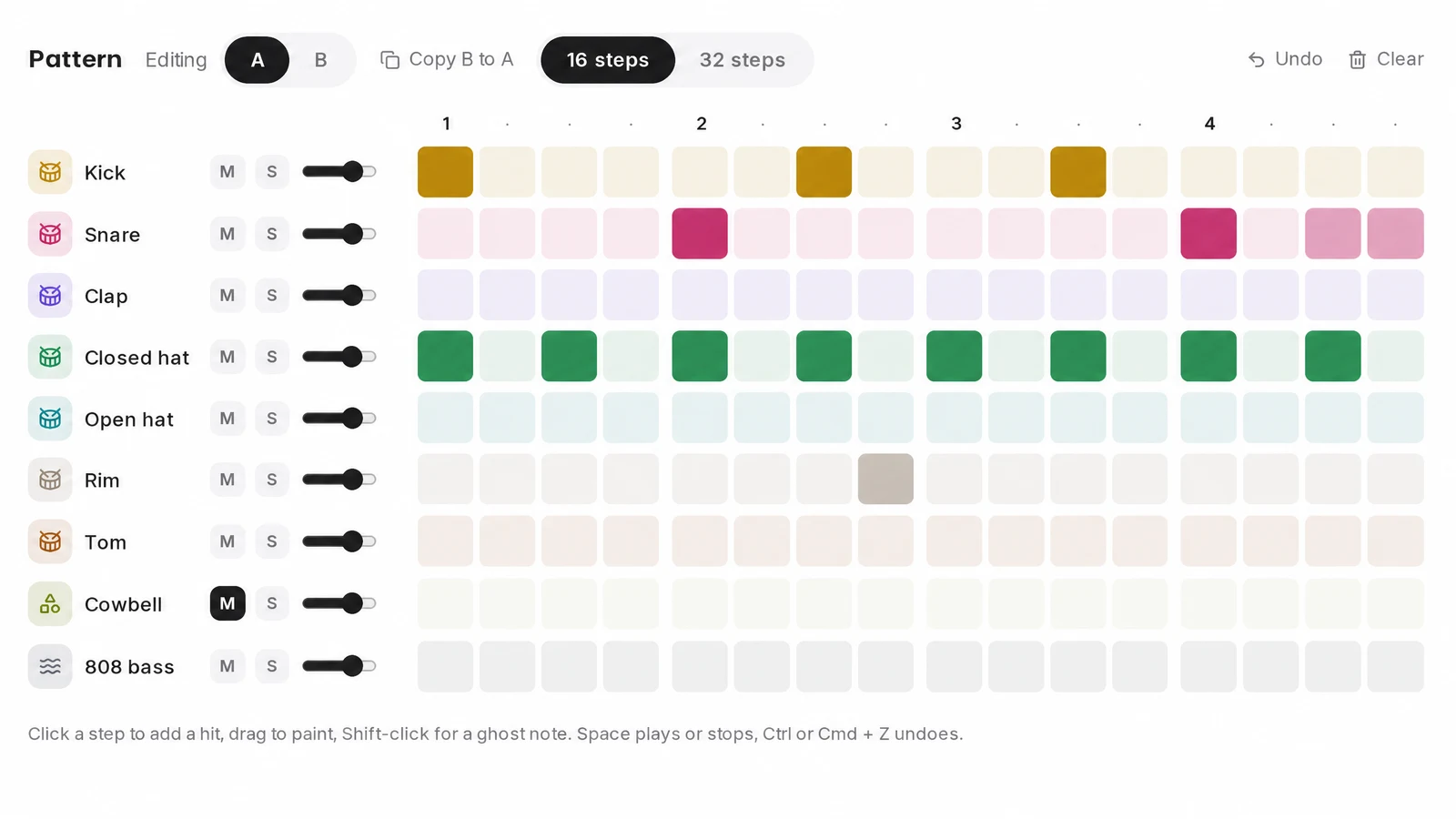
Start with a kick on step 1, the downbeat. Add one or two more where they make you nod, often just before or after beat 3. Leave space: a kick on every step is a heartbeat, not a groove.
3.Add the snare or clap
The backbeat goes on beats 2 and 4, steps 5 and 13. In half time styles such as trap the snare lands only on beat 3, step 9, which makes a fast tempo feel slow and heavy.
4.Fill in the hats
Closed hats on every other step give steady eighth notes; on every step they give sixteenths. An open hat on the offbeat lifts the groove. Rolls of fast hits are what trap is known for.
5.Give it feel: swing and ghost notes
Swing pushes every second sixteenth a little late, which turns a stiff pattern into a bouncing one. Ghost notes are quiet snare hits between the main ones. Both make a loop sound played rather than programmed.
6.Add the bass
An 808 or bass line usually follows the kick, hitting with it or just after. Tune it to the key of the song so it does not fight the melody.
7.Write a second bar
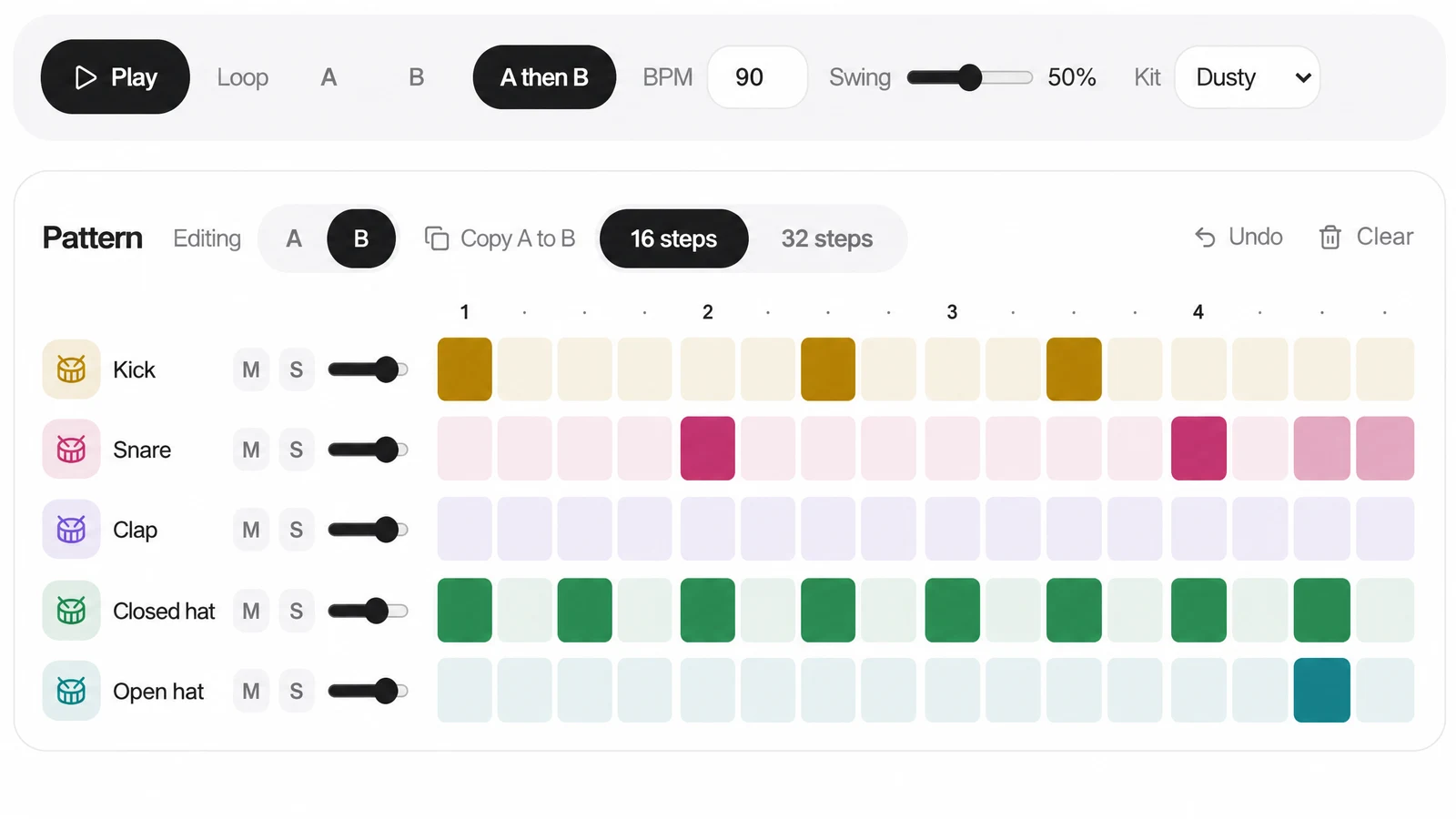
Copy the bar and change its ending: a snare roll, a dropped kick, an open hat. Alternating the two keeps the loop alive, and a fill tells the listener a new section is coming.
8.Export and arrange
Save the pattern as MIDI to keep editing the notes, or as WAV audio to drop under a vocal. Build the song by muting layers: hats alone for an intro, everything for the hook, kick out before the drop.
Click these steps into the SongDuet beat maker: kick, snare, hats and 808 on a 16 or 32 step grid with swing, free to use in the browser, with MIDI and WAV downloads.
Open the beat maker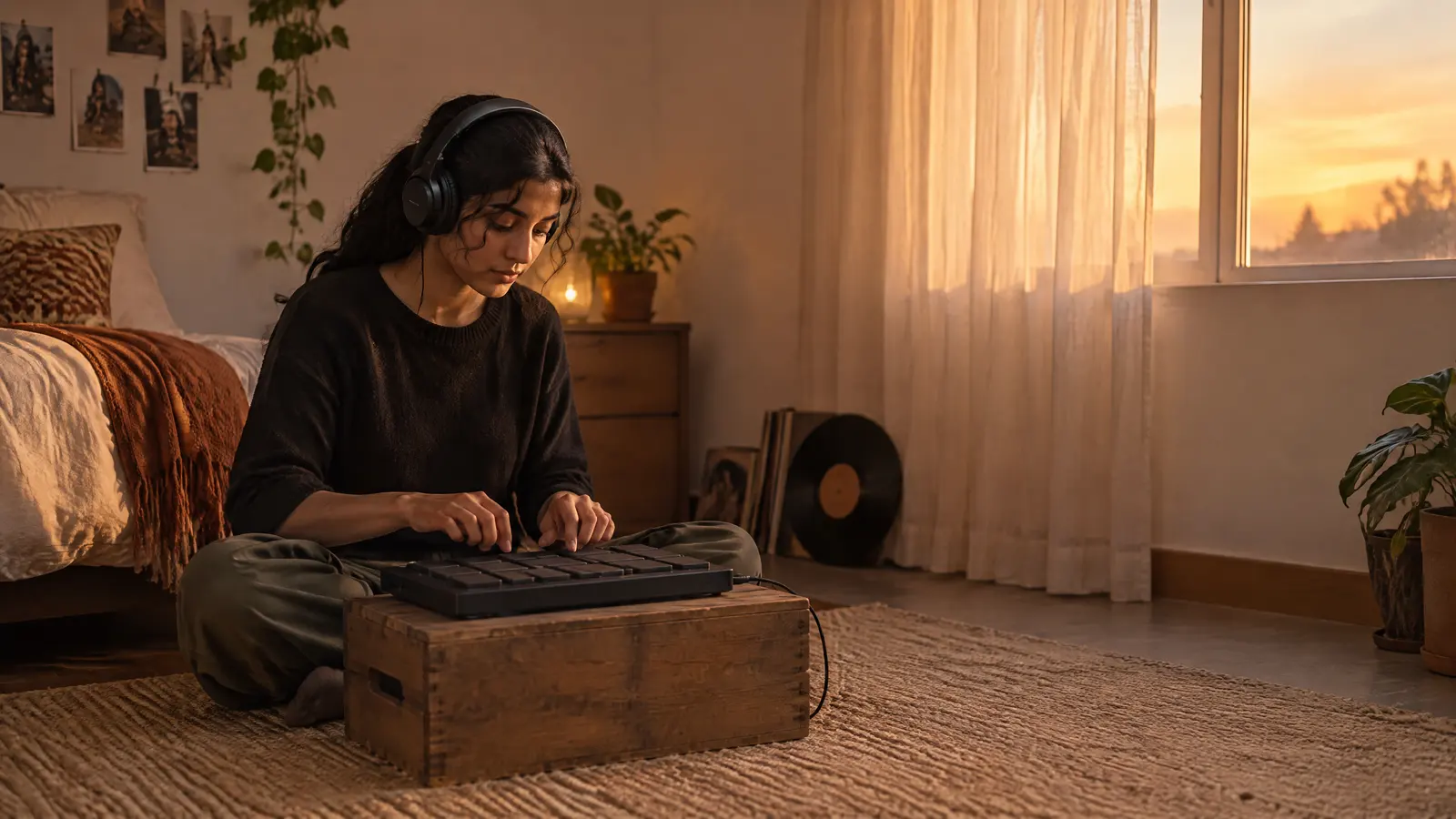
Worked example: one bar of boom bap at 90 BPM
The same bar built in three passes. In the grids, x is a hit, g a quiet ghost note and a dot an empty step; the count line shows the sixteenths as 1 e and a.
Pass 1, four bars
Kick and snare only, 90 BPM
Pass 2, four bars
Plus closed hats on the eighths
Pass 3, four bars
Sixteenth hats, swing, ghost snares
The loops were synthesized for this page from simple drum tones; nothing was sampled. To hear it in a DAW or the beat maker, enter the grid above at 90 BPM and turn swing up a little.
How to make beats by genre: tempo and drum pattern
Starting points, not rules. Steps are counted 1 to 16 across one bar of 4/4.
| Genre | BPM | Kick | Snare or clap | Hats | Feel |
|---|---|---|---|---|---|
| Boom bap | 85 to 95 | Beat 1, then a late kick near beat 3 | Beats 2 and 4 | Eighths | Swung and a little dusty |
| Lo-fi hip hop | 70 to 90 | Lazy, a hair behind the grid | A soft backbeat | Quiet eighth notes | Heavy swing, rounded top end |
| Trap | 130 to 150 | Sparse, locked to the 808 | Beat 3 only (half time) | Sixteenths with fast rolls | Slow and heavy over a fast pulse |
| Drill | 140 to 145 | Syncopated, with the 808 | Half time, a second hit pushed off the beat | Sixteenths with skips | Dark, bouncing |
| House | 120 to 128 | Every beat (four on the floor) | A clap doubling the backbeat | Open hat between each pair of kicks | Even and driving |
| Reggaeton | 90 to 100 | Every beat | Steps 4, 7, 12 and 15 (the dembow) | Eighths | A 3 3 2 pull in each half bar |
| Drum and bass | 170 to 175 | The downbeat, then step 11 | Backbeat on steps 5 and 13 | Busy, from eighths up to sixteenths | Fast, rolling breakbeat |
Make beats for a song or vocal you already have
When the vocal or the song comes first, the beat has to fit it, so measure before you program anything.
- Find the tempo. Tap along or measure the BPM from the file, and set your grid to exactly that number.
- Find the key. The bass and 808 need it; the drums do not. A key finder reads it from the same file.
- Build the drums around the words. Keep the busiest hats and fills out of the way of the lines that matter.
- Line them up in a DAW. Put the vocal and the exported beat on two tracks at the same tempo and nudge until beat one meets beat one.
The SongDuet beat maker takes the tempo as a number from 60 to 240 BPM but does not load audio, so that last step happens in your DAW.
Six beginner mistakes, and the fix for each
Most people who learn how to make beats run into the same six problems in their first month.
- Every hit at full volume. Real drummers never hit twice the same. Turn the off hats down and add ghost notes.
- Too many layers. Three good sounds beat eight crowded ones. If a part does not change the groove when you mute it, cut it.
- Kick and bass fighting. They share the low end. Let the 808 hit with the kick or after it, not on top of a different kick.
- One bar for three minutes. Write a second bar and a fill. Even a small change every four or eight bars keeps people listening.
- Perfectly straight time. Some swing, or hats nudged slightly off the grid, is what makes a beat feel human.
- Judging on laptop speakers. Small speakers hide the kick and 808. Check the low end on headphones before you call it done.
Where the SongDuet beat maker stops
It is built for drum patterns. For the rest of a track you will want a DAW.
- No 8 bit or chiptune sounds. The nine rows are fixed drum and 808 sounds, synthesized in four kits; retro game sounds are not among them.
- No samples of your own. Sounds cannot be replaced with uploaded samples or drum kits.
- Drums and one 808 note. No melody, chords or piano roll, and the 808 row has no pitch per step. Write bass lines in your DAW after the MIDI export.
- No audio import. You cannot load a vocal or a song next to the grid. Match the tempo by typing the BPM, then line the two up in a DAW.
- Save before you close. Export the MIDI or WAV, or sign in with a free account and save the beat to My beats, before closing the page.
- Two bars of arrangement. Patterns A and B can loop alone or chained, and that is all. Full song structure happens in a DAW.
That is how to make beats in short: set the tempo, lay kick and snare, add hats, give it swing and ghost notes, then vary it every few bars and export.
Want a whole song with vocals rather than a drum loop? Signed in, the song maker writes a full song from a one line description.
Beat making questions
How do I start making beats as a complete beginner?
Open any step sequencer, set a tempo, and copy one pattern from the recipe table above, a kick, a snare and hats. Then change one thing at a time and listen. Copying patterns you like is how most producers learned.
Can I make beats for free?
Yes. The SongDuet beat maker is free to use in the browser, including the MIDI and WAV downloads. GarageBand comes free on Apple devices, and several DAWs offer free versions or trials.
Is music theory required for programming drums?
Not for drums. Counting to four and knowing where beats 2 and 4 fall is enough to start. Theory starts to matter when you add bass and melody, mostly knowing the key of the song.
What BPM are rap beats?
Classic boom bap sits around 85 to 95 BPM. Trap and drill run around 130 to 150 but feel half as fast because the snare lands on beat 3. Lo-fi is slower, around 70 to 90.
What is a 16 step sequencer?
A grid that splits one bar of 4/4 into sixteen equal steps, each a sixteenth note. You switch steps on and off for each sound and the bar loops. It is the layout of classic drum machines.
What does swing do to a beat?
It delays every second sixteenth note by a small amount. The beat stops sounding like a machine and starts to bounce. A little goes a long way.
Can I make beats on my phone?
The SongDuet beat maker works in a phone browser; each row wraps into lines of 8 steps so a full bar fits on screen. Ghost notes need Shift-click, so on a touch screen every tap is a full hit.
How do I get my beat into FL Studio, Ableton or another DAW?
Download it as MIDI and drag the file onto a drum instrument or drum rack. The beat maker writes General MIDI drum notes, kick on 36 and snare on 38, with the 808 on its own channel. For audio, use the WAV download instead.