Vocal Remover
Feed the vocal remover one finished song; out come two tracks, the voice alone and the music without it. Rap over the beat, rehearse the harmony, or chop the hook into a sample.
Vocal remover results: an acapella and a backing track
Lead and harmonies alike land on the Vocals row. On dense mixes, a faint trace of voice can remain in the Instrumental.
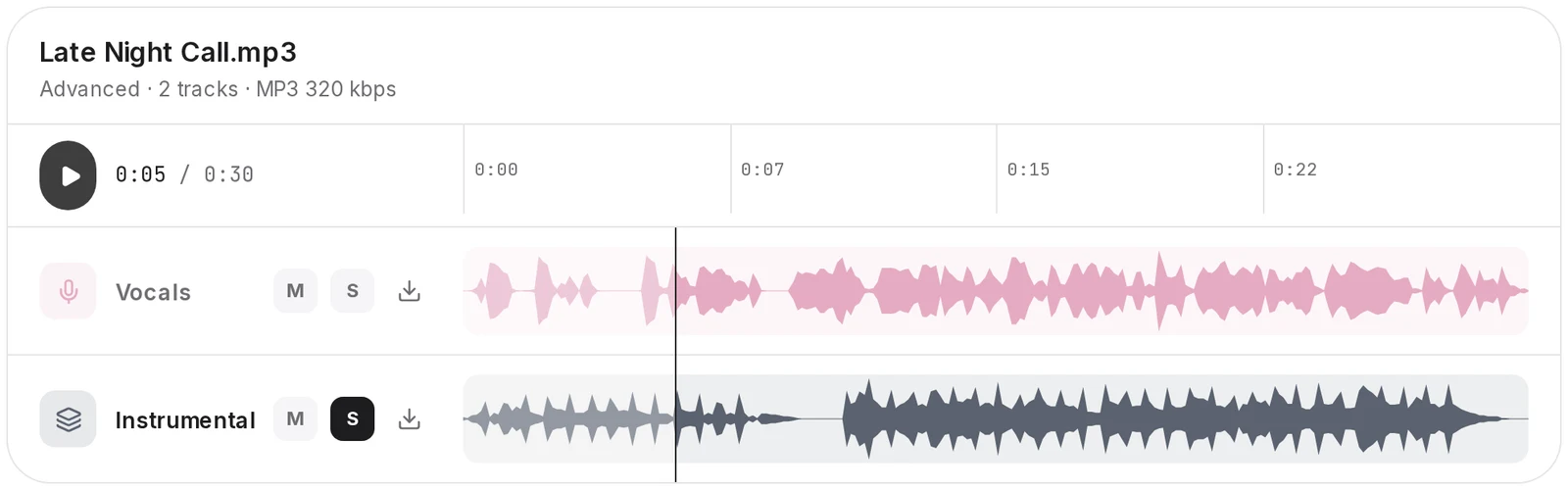
- Solo Vocals to hear the bare singer. Solo Instrumental and you are holding a karaoke version.
- Mumbled chorus? With the band muted, the words are much easier to catch.
- Every finished split stays in your library, so you can play or download it again without a new run.
- VocalsThe acapella
- InstrumentalThe karaoke backing
Two MP3 downloads at 320 kbps, one per row.
How to use the AI vocal remover, file in, two downloads out
The route below mirrors what the Studio shows, screen by screen.
1.Drop your song
Drag it onto the box near the top of this page, or tap to browse. Anything in MP3, WAV, FLAC, M4A, AAC or OGG under 100MB is accepted.
2.Sign in
The Studio opens with your file attached and asks you to sign in. Your browser holds the file for 15 minutes; after that, the Studio asks for it again.
3.Press Remove Vocals
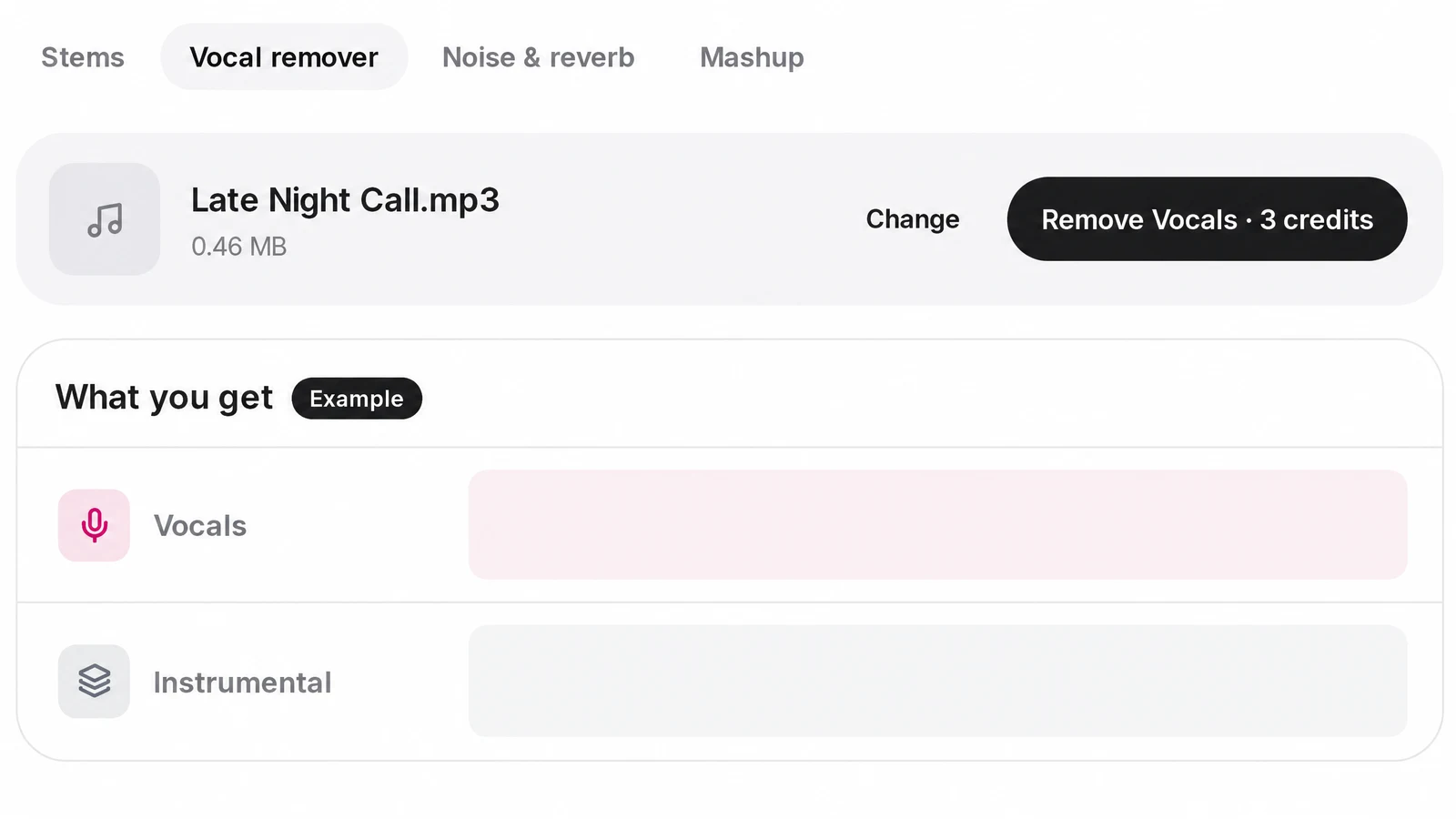
The Vocal remover tab opens holding your song. Rather use a library song? Press Change and swap it in. The Remove Vocals button lists what the run will cost in credits.
4.Listen in the multitrack player
A few minutes later both rows fill in. Play them together, then switch between them with solo and mute until the split sounds right to you.
5.Download the MP3 files
Grab each row separately as a 320 kbps MP3 and drag it into your DAW, a karaoke app or a rehearsal playlist.
6.Take it further
Need the kick, the bass or the lead on rows of their own? Send the same song to the stem splitter, which gives you seven stems in a standard split.

Remove vocals from a song without phase tricks
Phase cancelling was the classic hack. You flip the official instrumental, line it up with the full song to the exact sample, and the voice cancels out. It collapses if that instrumental was never released, if the files differ by a hair, or if the vocal is off center.
Only the finished song is needed here. Even a deep cut with no acapella anywhere online gives up both halves. Our servers do the heavy lifting: forget command lines, Python versions and graphics cards.
Curious how the older methods compare? Our guide to removing vocals from a song tries the phase trick, an EQ cut and AI separation on the same track.

A backing track to write on
The Instrumental row is a karaoke version of the song: write a verse over it, rehearse the harmony against it, or chop the hook into a sample.
The Vocals row is a clean stem, which is exactly what an audio to MIDI converter transcribes best: drop it there and the sung melody comes back as notes you can edit.
The small print, up front
Read these before pressing Remove Vocals.
- It is not the original multitrack. The split is estimated from the mixed song, not lifted from studio session files. Expect faint leftovers on busy, loud arrangements.
- Every voice lands on the Vocals row. Stacked doubles and heavy effects can still leave residue behind. To pull lead and backing apart, use the Pro split on the stem splitter.
- Streaming and video links get refused. Save the audio to your device first, then drop it here. One song per run.
- MP3 out, no editing. Both rows come back as 320 kbps MP3. Trimming, EQ, pitch and tempo changes live outside this tool. When your remix or cover is done, master the mix online before you share it.
Vocal remover questions
What can I upload?
Six formats are welcome: MP3, WAV, FLAC, M4A, AAC and OGG, each under 100MB. Library songs work too.
Can it grab audio from a YouTube or Spotify link?
No. YouTube, TikTok and Spotify links are refused; drop a saved file or choose a library song instead.
Can traces of the voice survive in the backing?
It can, a little, mostly on busy, loud arrangements. Solo each row before you download.
What happens to harmonies and backing vocals?
They share the Vocals row with the lead. The stem splitter's Pro split can part them.
How are credits charged?
Per split, never per download. The Remove Vocals button shows the amount first, newcomers get welcome credits, and a failed job hands them back.
How soon are both halves ready?
Usually a few minutes, in the background. Once it wraps up, both rows show in the player.
Is there a WAV or lossless option?
Not here. Each row saves as a 320 kbps MP3, one file at a time, and a ZIP button isn't built yet.
Need a powerful computer?
No. The separation runs on a server, not on your computer. You only need to be online.