MP3 to MIDI
Drop an MP3 or any other recording. The Studio turns the notes it hears into a standard MIDI file you can download, open in the piano roll editor or drag into your DAW.
Picking a file is open to anyone. The conversion starts in the Studio after you sign in, and each run uses credits shown on the Convert to MIDI button. A failed run gives them back.
Which MP3 to MIDI jobs convert well, and which need a split first
What you feed in decides how clean the MIDI comes out. Start here before you upload.
- One instrument on its own: a piano take, a bass line, a sung or hummed melodyUpload it directlyThe cleanest case. The Basic engine detects the pitches and writes them into one MIDI track.
- A finished song with a full bandSplit it firstOn Basic every instrument lands in the same track. Separate the song into stems, then convert the stem you want, using the Upload Stem source.
- You want the drum, bass and vocal parts kept apartPro engine, when offeredPro writes those parts to their own tracks. It only appears in the engine picker while it is switched on, and it costs more than Basic.
For a full band, split the song into stems first: the bass, the piano or the vocals each come back as a file of their own, ready for Upload Stem.
How to convert MP3 to MIDI, screen by screen
Four screens in the Studio, in the order you will see them.
1.Drop the file and sign in
Drag your audio onto the box at the top of this page. The Studio opens on the Audio to MIDI tab with your file already loaded under Upload Audio. A stem from an earlier split goes in under Upload Stem.
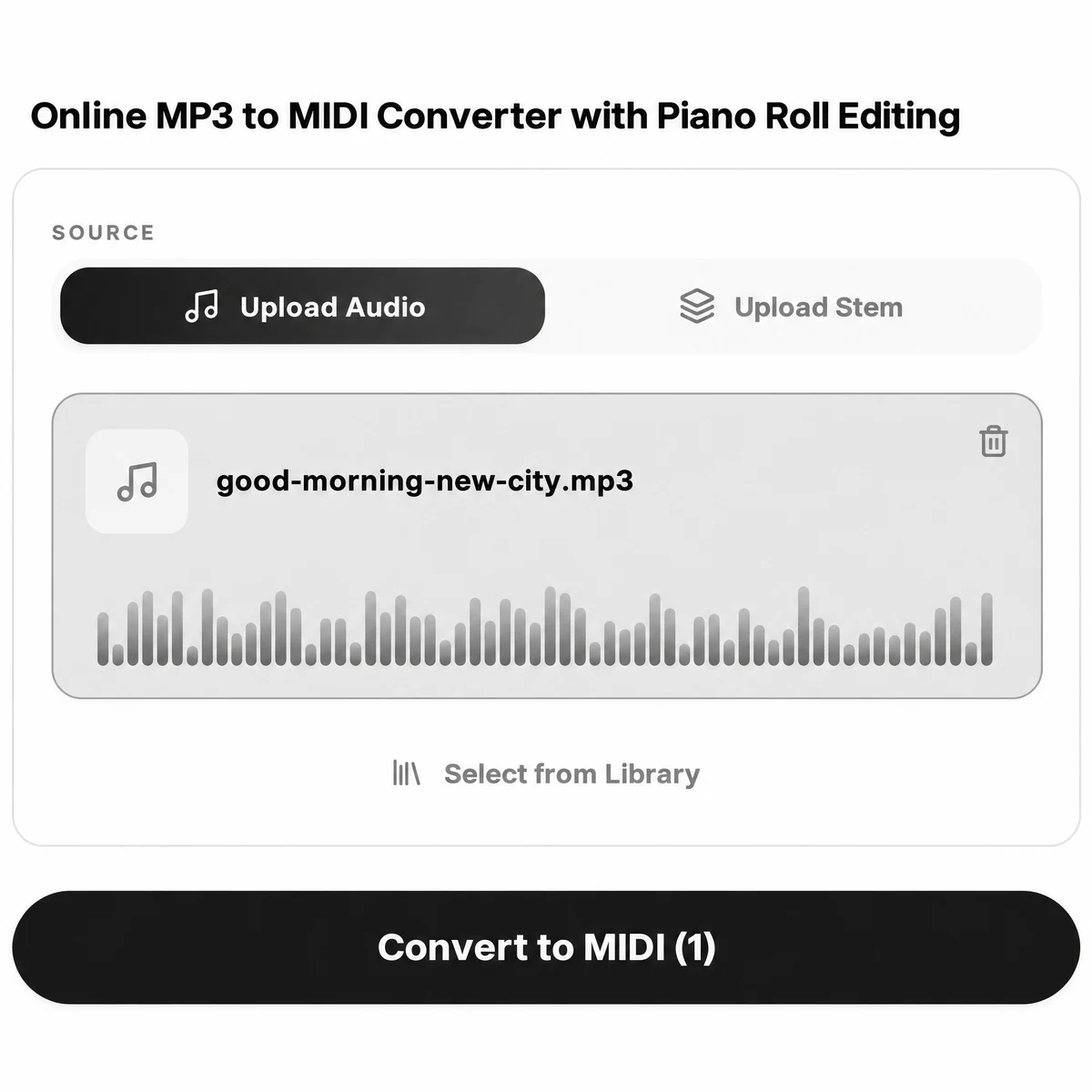
2.Press Convert to MIDI
The button lists the credit cost before you press it. While it works it reads Converting, and you can leave the page. Basic usually finishes in under a minute; Pro on a full song can take a few minutes.
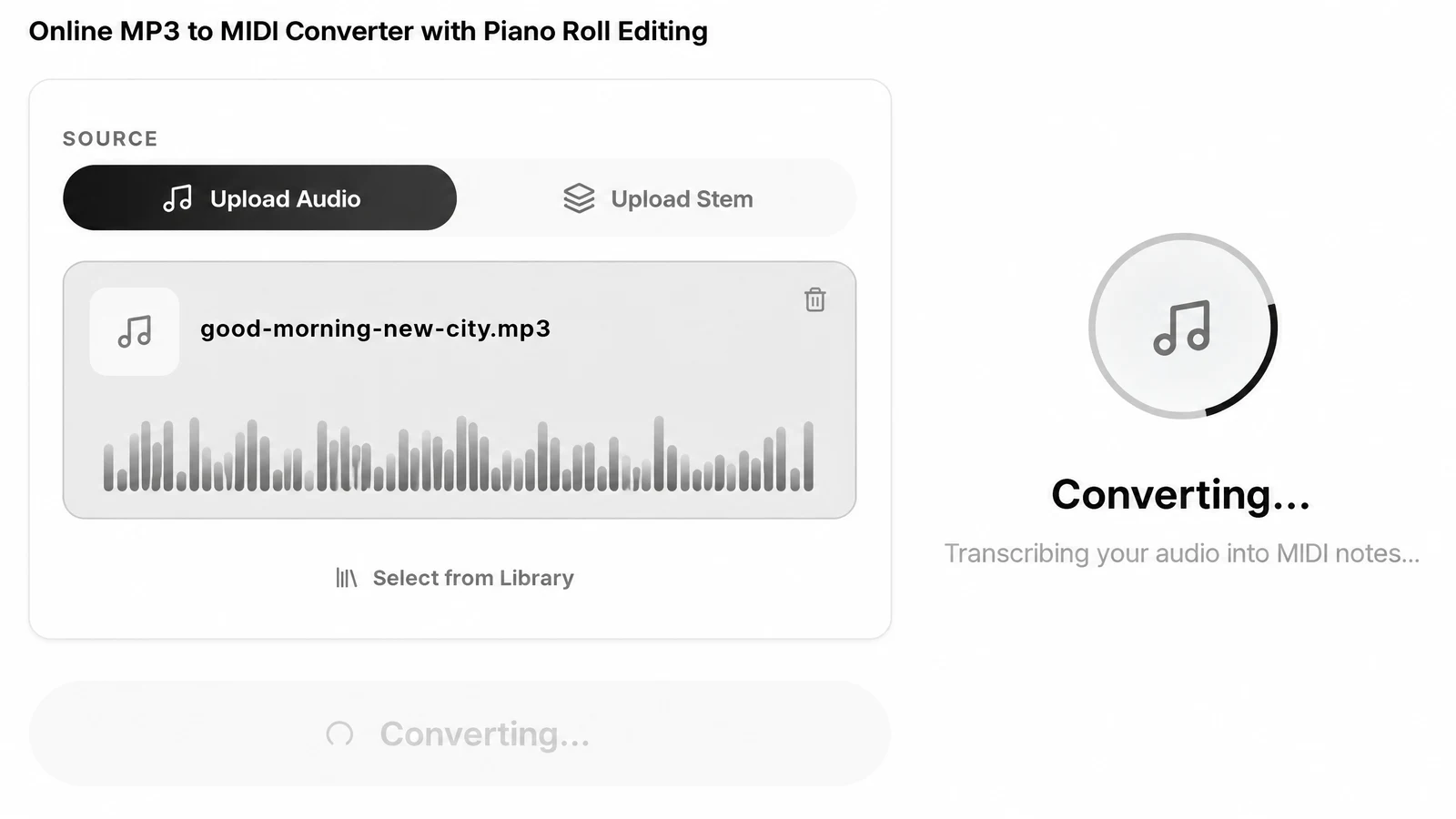
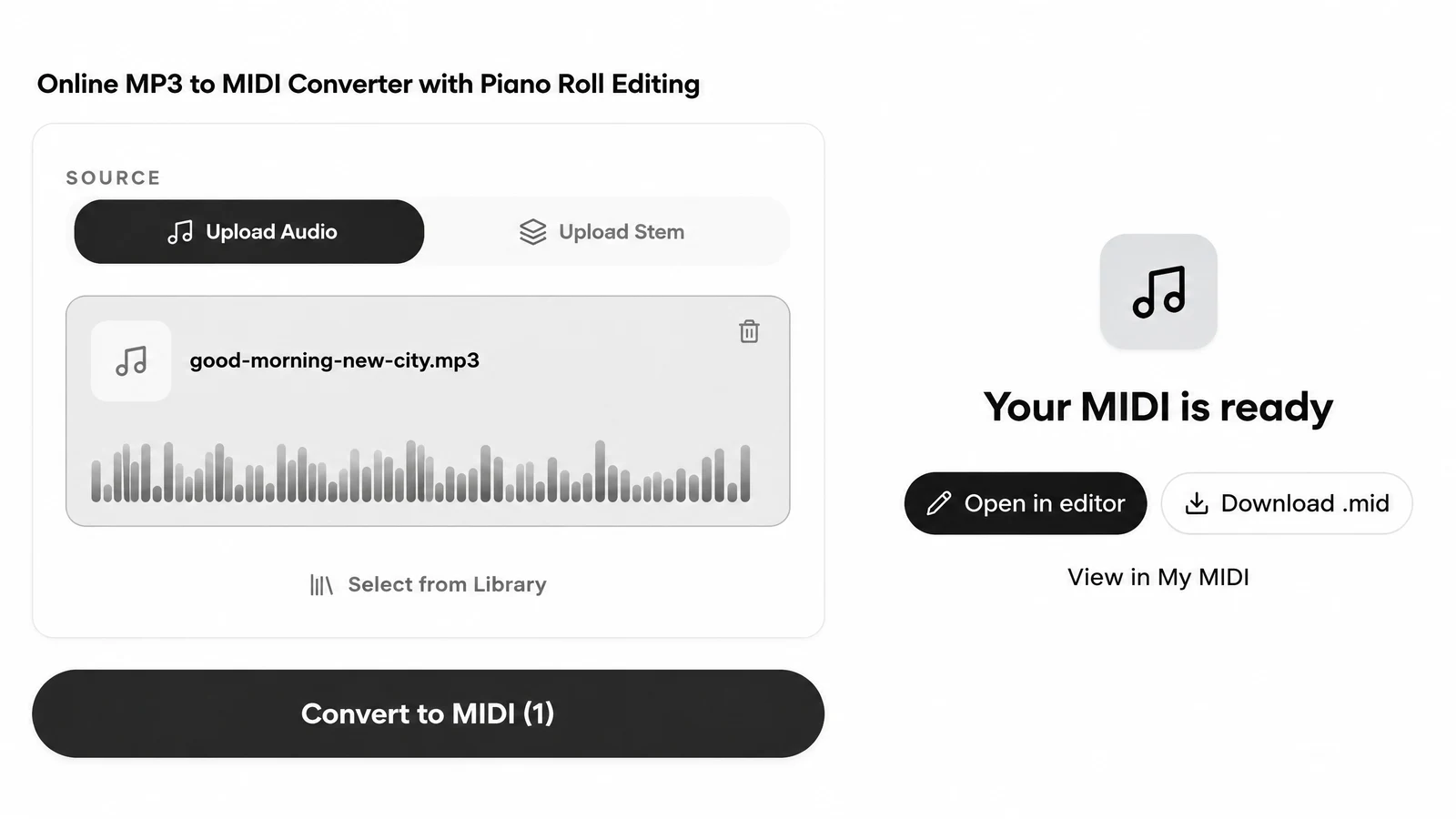
3.Download the .mid
Your MIDI is ready offers three choices: Download .mid, Open in editor, and View in My MIDI, where every result stays for later.
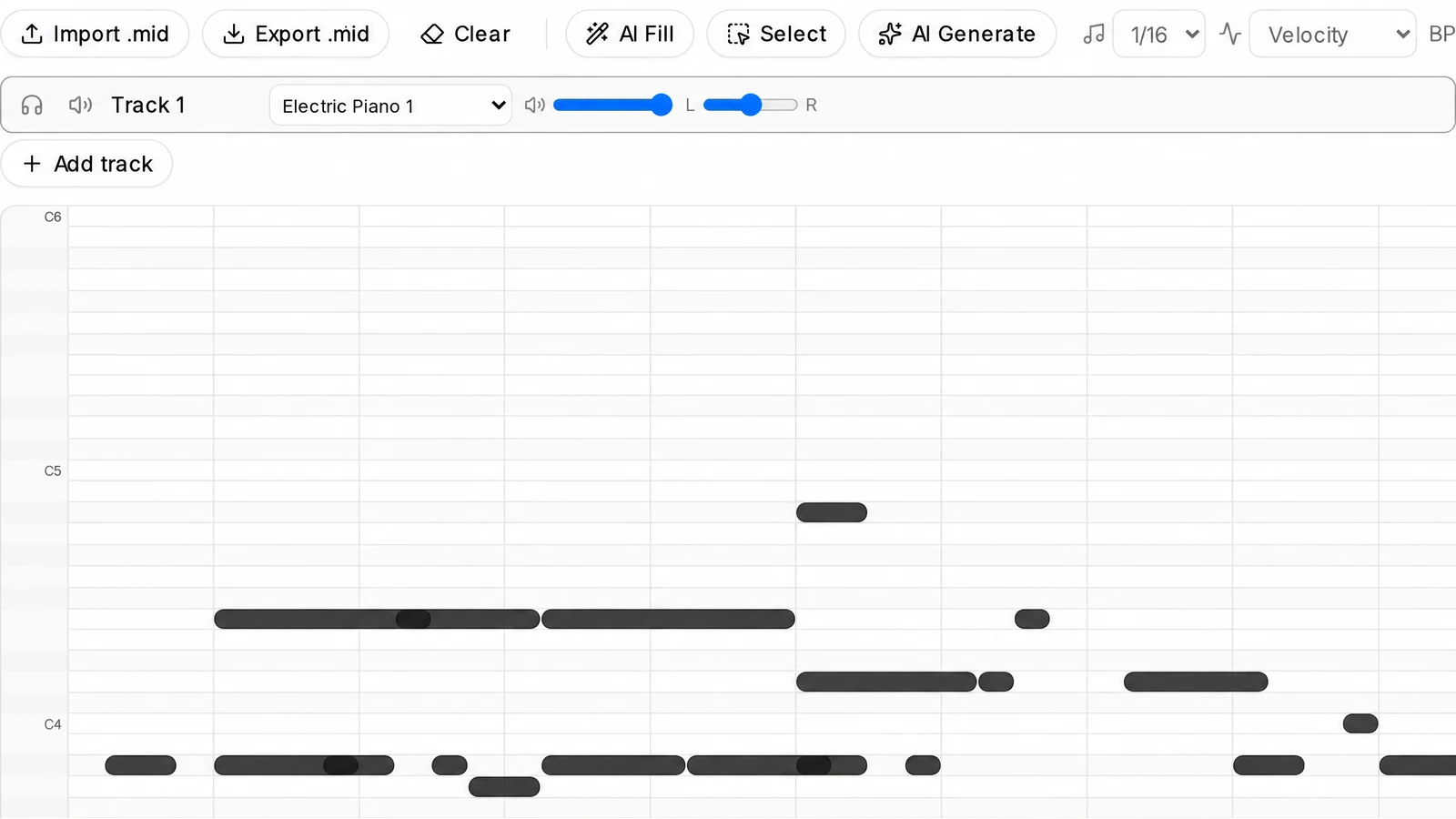
4.Tidy the result in the editor
Open in editor shows the notes on a piano roll. Delete stray notes, move wrong ones, then use Export .mid to save the cleaned file.
Formats in, a .mid file out
WAV to MIDI, M4A to MIDI, FLAC to MIDI: the same route as MP3.
| Audio in | MP3, WAV, FLAC, M4A or OGG, one file up to 100MB, or a song from your SongDuet library |
|---|---|
| Stems in | A stem from an earlier separation, picked from My Stems |
| Engines | Basic: all notes in one track. Pro, when offered: drums, bass and vocal melody on separate tracks |
| You get | One downloadable .mid file per run |
| Where it is kept | My MIDI, to download again or open in the editor |
| Cost | Credits per run, shown on the button; Pro costs more; refunded if the run fails |
Getting the .mid into your DAW
A standard MIDI file carries notes, not sound. Your DAW decides which instrument plays them.
- Logic Pro
- Drag the .mid onto the tracks area, or use File, Import, MIDI File. It lands as a software instrument region.
- FL Studio
- Drag the file into the Playlist or the Channel rack, then pick the instrument the notes should play.
- Ableton Live
- Drop it into a MIDI track in Session or Arrangement view and load any instrument on that track.
- GarageBand and Reaper
- Drag the file in as well; any program that reads standard MIDI files opens it.

Sing, hum or play, then convert audio to MIDI
A melody in your head becomes notes on a grid.

Record one idea, cleanly
Hum the hook into your phone, record a single guitar line or a few bars of piano, and save it as an audio file. One voice or one instrument with little else around it gives the converter the best chance.
Once it is MIDI, put a synth, strings or a drum kit on the notes in your DAW, or move them around in the piano roll until the idea is right. When the track is finished and bounced, you can master the mix online before you share it.
Expect to clean up some notes
Automatic conversion hears most of the notes, not all of them.
The result is an automatic transcription, not a hand-checked one. Wrong or missing notes are possible, more on a busy full mix than on a single clean part. Plan on a short pass in the MIDI editor before you use the file.
The quickest fix: open the result in the editor, delete the short stray notes first, then listen through and drag the wrong pitches to the right place. Export .mid saves the cleaned version.
Things this MP3 to MIDI tab will not do
Check these before you spend credits.
- No MIDI to MP3. The reverse direction, turning a .mid back into MP3 or WAV audio, is not something this site does.
- No plugin or app. It runs in the SongDuet Studio in your browser, with the audio processed on our servers. There is no VST, AU, desktop program or phone app.
- No links. YouTube, TikTok and Spotify links are refused. Save the audio as a file first, one file per run.
- No chords, key or tempo. This tab writes notes. It does not label chords or detect the key or tempo of the song.
- No sheet music on this tab. The result is a .mid file only. Sheet music, MusicXML and guitar tab come from a different tab of the same Studio stage.
- Not offline. Nothing converts on this page or on your computer. You need to be online and signed in to the Studio.
Want a score instead of a .mid? Audio to sheet music writes the part you hear onto staves, one instrument per run. And if you would rather start from nothing, the AI sheet music creator composes a new classical piece from a sentence.
MP3 to MIDI questions
Do I have to pay to convert?
No. The conversion runs in the Studio after you sign in, and each run uses credits. The Convert to MIDI button shows the cost first, and a failed run gives the credits back.
Will every note come out right?
It is an automatic transcription, not a hand-checked one. Expect some wrong or missing notes, fewer on a single clear instrument than on a full mix. We have not published an accuracy figure yet.
Can I convert a whole song into separate instrument tracks?
Not on Basic, which puts every note into one track. Split the song into stems first and convert each stem, or use the Pro engine for drums, bass and vocal melody when it is offered.
Can I turn my singing into MIDI?
Yes. Record the melody, save it as an audio file and convert it. A clear voice with no backing gives the cleanest notes.
Does a second run on the same file cost again?
No. Running the same engine on the same source again returns the MIDI you already have instead of charging again.
Where do my MIDI files go?
Every result is kept in My MIDI, so you can download it again later or open it in the MIDI editor.
Can I also get sheet music?
Yes, but from the Sheet & tabs tab of the same Notation stage, which writes MusicXML for one chosen instrument per run and is billed separately. Upload the audio again there.