How to Remove Vocals from a Song
Three ways to take the voice out of a finished track, from the old phase trick to AI separation, and what each one leaves behind.
Removing vocals means pulling the singer out of a mixed song, so you end up with the backing on its own, the voice on its own, or both.
People also call it removing the lyrics, isolating the vocals or making a karaoke version. It is the same job: the voice goes one way, the music the other.
Three vocal removal methods, side by side
A finished song is one mixed signal. Each method guesses differently at which part of it is the voice.
| Method | How it works | What you get | Effort |
|---|---|---|---|
| Phase cancellation | Flip one stereo channel and add it to the other, so anything panned dead center cancels out. | A mono track with the lead voice mostly gone, along with the kick, bass and snare. Reverb on the voice usually stays. | Minutes in any audio editor |
| EQ | Cut the frequency range where the voice is loudest. | A voice that sits lower in the mix. Guitars, keys and snare lose the same range, so the song sounds hollow. | Minutes, plus a lot of listening |
| AI separation | A model trained on thousands of songs with separate stems estimates which sound belongs to the voice. | Two full tracks: the vocal alone and everything else. Faint leftovers are possible on dense mixes. | Upload, wait a few minutes, download |
Method 1: remove vocals from a song with phase cancellation
Most lead vocals are mixed dead center: the same signal sits in the left and the right channel. Guitars, keys and backing parts are often panned to one side. If you flip the polarity of one channel and add the two together, whatever is identical on both sides cancels out.
Reverb on the voice is usually spread across both channels in different ways, so a washy echo of the singer often survives.
There is a second version of the trick. If you own the official instrumental, flip it and add it to the full song: the music cancels and the acapella is left. It only works when both files come from the same master and line up to the exact sample, which is rare outside a studio.
If losing the bass and the kick is the problem, stem separation goes the other way: instead of cancelling the center, it puts the vocals, the drums, the bass and the other parts on tracks of their own.
Method 2: turning the voice down with EQ
The body of a singing voice lives roughly between 200 Hz and 4 kHz, with the words themselves clearest around 1 to 4 kHz. A wide cut in that band makes the singer quieter. The trouble is that guitars, piano, synth pads and the snare live in the same band, so they drop with the voice.
EQ is useful when you want the voice to sit back in the mix while you rehearse, not when you need it gone. Treat it as a volume knob for one region of the sound.
When the voice has to go completely and the music has to stay whole, an AI vocal remover is the tool for the job, as Method 3 shows.
Method 3: remove vocals from a song with AI, step by step
This is the route that keeps both halves full. Here is the real order on SongDuet’s vocal remover.
1.Drop the song on the vocal remover
Pick the track off your drive (MP3, WAV, FLAC, M4A, AAC and OGG all go through) or choose one you already keep in your SongDuet library.
2.Sign in and land in the Studio
The Studio opens on the Vocal remover tab with your file already picked, so you do not choose it twice.
3.Start the split
The button shows the credit cost before anything is charged. The job runs in the background and usually takes a few minutes; if it fails, the credits come back.
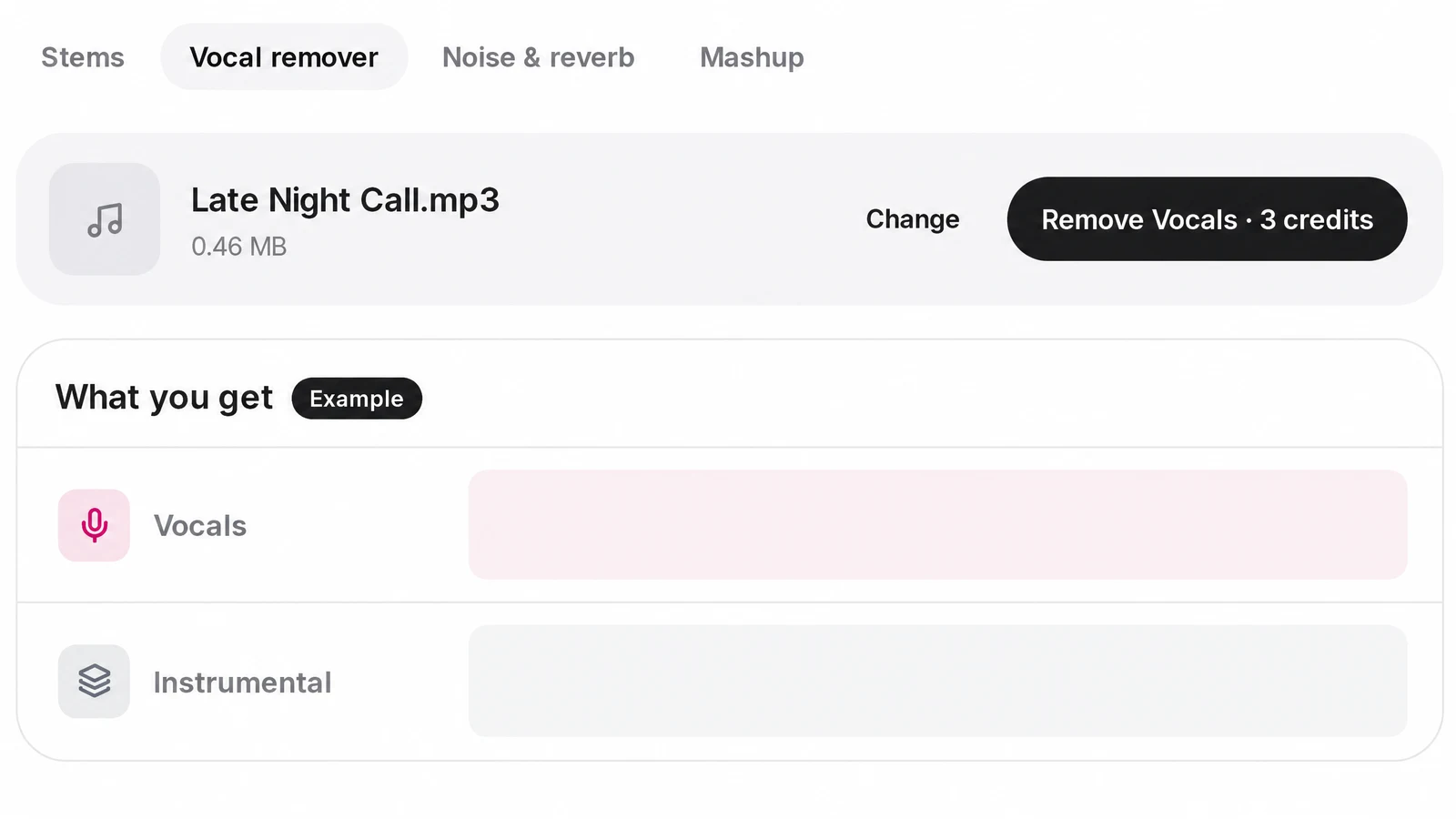
4.Listen to each row
Two rows appear in the multitrack player, Vocals and Instrumental. Press play and both run together; mute or solo a row to check the busy parts of the song.
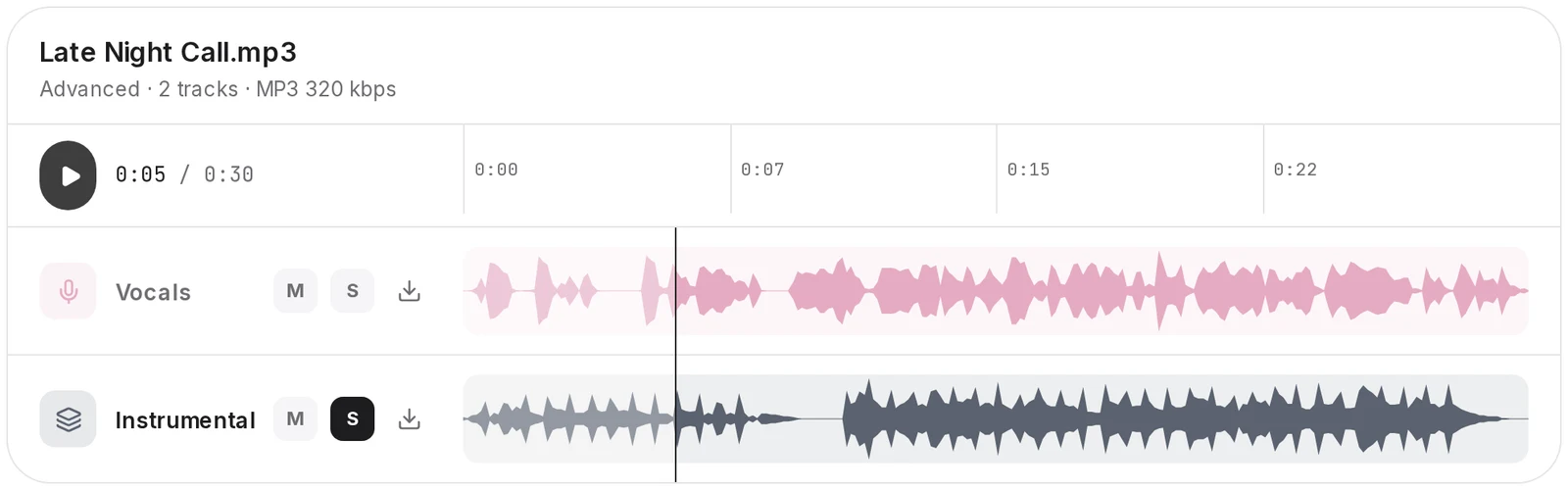
5.Download the half you need
Each row downloads on its own as an MP3 at 320 kbps. The split stays in your separations, so you can come back for the other half later.
Got the track saved on your computer? Start on the vocal remover page; the split itself happens in the Studio.
Open the vocal remover
Acapella or karaoke: isolate vocals or keep the music
Isolating the vocals and removing them are one job seen from two sides. Pick the row by what you are making.
- Sing karaoke or record your own vocal over the songKeep the Instrumental rowEverything except the voice, ready to drop under your own take.
- Sample the hook, make a remix or study the phrasingKeep the Vocals rowThe acapella on its own, the same length as the song so it lines up in a DAW.
- Learn a harmony part or separate the lead from the choirUse the Pro splitThe stem splitter’s Pro split puts lead and backing vocals on different rows.
- Play along without the drummer or the bass playerUse the standard splitThe stem splitter returns seven stems, so you mute only the part you want to play.

Singing it yourself? Take the Instrumental
The Instrumental row is your karaoke track. Keep the Vocals row too: playing it now and then while you learn the song tells you where the original singer breathes and phrases.
Need more than two tracks, or the lead and the harmonies apart? The stem splitter does the finer cut.
Open the stem splitterWhat to listen for before you use the result
AI separation estimates the parts from the finished mix; it does not open the original session. These are the spots where that shows.
- Ghost of the voice in the backing. On loud, crowded mixes a faint trace of the singer can stay in the Instrumental. Solo that row and listen to the chorus, where it is busiest.
- Reverb and delay tails. Echoes of the voice are part of the mix, not the dry vocal, so a soft tail can hang on in the backing after a line ends.
- Backing vocals stay with the lead. On the vocal remover every voice lands on the Vocals row. Harmonies only come apart with the Pro split on the stem splitter.
- Instruments that sound like a voice. Lead synths, saxophone and bowed strings share a lot with singing. Check that they did not slip into the Vocals row.
Files in and out on SongDuet
| You bring | One song per run: MP3, WAV, FLAC, M4A, AAC or OGG, or a song from your library |
|---|---|
| Not accepted | YouTube, TikTok or Spotify links, and several files in one run |
| Result | A Vocals row and an Instrumental row from one run |
| Download | MP3 at 320 kbps, one file per row; no WAV and no ZIP of both |
| Kept in | Your separations in the Studio |
| Not included | Trimming, EQ, pitch or tempo changes on the result |
Questions about removing vocals
How do I remove the lyrics from a song?
Lyrics are sung, so removing them means removing the vocal. Any of the three methods above does that; AI separation is the one that leaves the music intact.
Can I get rid of the vocals without any software?
Not really. Even the phase trick needs an audio editor to flip a channel. AI separation needs no installed software on SongDuet: the split runs on a server and you download the two MP3 files.
Why is the phase trick result in mono?
It subtracts one channel from the other, which leaves one signal. The stereo picture is gone, and so is everything that was in the middle, not just the voice.
Can I paste a YouTube or Spotify link instead of a file?
Not on SongDuet. The vocal remover takes an audio file or a song from your library, and links are refused.
Will the instrumental be as clean as an official one?
An official instrumental comes from the studio session files. AI separation estimates the same thing from the finished mix, so it can carry small leftovers that an official version never has.
Can I use the instrumental in a video or release?
Removing the voice does not change who owns the song. Practice and private use are one thing; publishing someone else’s music, with or without the vocal, needs permission from the rights holders.