How to Make a Lyric Video
A lyric video is your song with its words on screen the moment they are sung. Here is how to make a lyric video with the editor method that works in any video app, a timing example to copy, frame sizes per platform, and what SongDuet does instead: an AI music video with the sung lyrics as subtitles.
Three ways to make a lyric video, and an AI fourth
Pick by how much control you want over the words on screen, and how much time you have.
| Method | You control | Good for | Trade off |
|---|---|---|---|
| Desktop video editor | Every font, position and animation | YouTube uploads, animated type | Slowest: every line is placed by hand |
| Phone editing app | Text and simple motion | Short vertical clips | A whole song is fiddly to time on a small screen |
| Motion template | A preset look you fill in | A clean result quickly | Looks like everyone else who used that template |
| SongDuet AI music video | Song, reference photos, style direction, shape | Generated scenes with the sung words as subtitles | No font or placement choices; the words are transcribed, not typed |
How to make a lyric video in any editor
Seven steps that work in a desktop editor or a phone app. Most of the work is step three.
1.Finish the audio and the lyric sheet
Export the final mix and type the lyrics exactly as they are sung, repeats and ad libs included. Changing a word after the timing is done means retiming everything after it.
2.Split the words into screen lines
One sung phrase per screen, at most two short lines, around 40 characters each. Break where the singer breathes, not where the written verse breaks.
3.Time every line
Play the song and write down when each phrase starts, in minutes, seconds and hundredths. The worked example below uses the LRC style that most lyric tools read.
4.Choose a look you can read
One background (footage, a photo or a slow loop), one or two typefaces, strong contrast. Keep text away from faces and out of the bottom and right edges on vertical video, where app buttons sit.
5.Place the text on the timeline
Bring each line in about a quarter of a second before it is sung, so the eye arrives before the voice, and take it out as the next line comes in. For a karaoke feel, brighten each word as it is sung.
6.Watch it the way fans will
Watch the whole video on a phone at low brightness. Every line should be readable in the time it is on screen; if not, shorten the line or split it.
7.Export and upload
Export an MP4 at the platform size in the table below, at the frame rate you edited in. On YouTube, paste the lyrics into the description too: people search for lines they half remember.
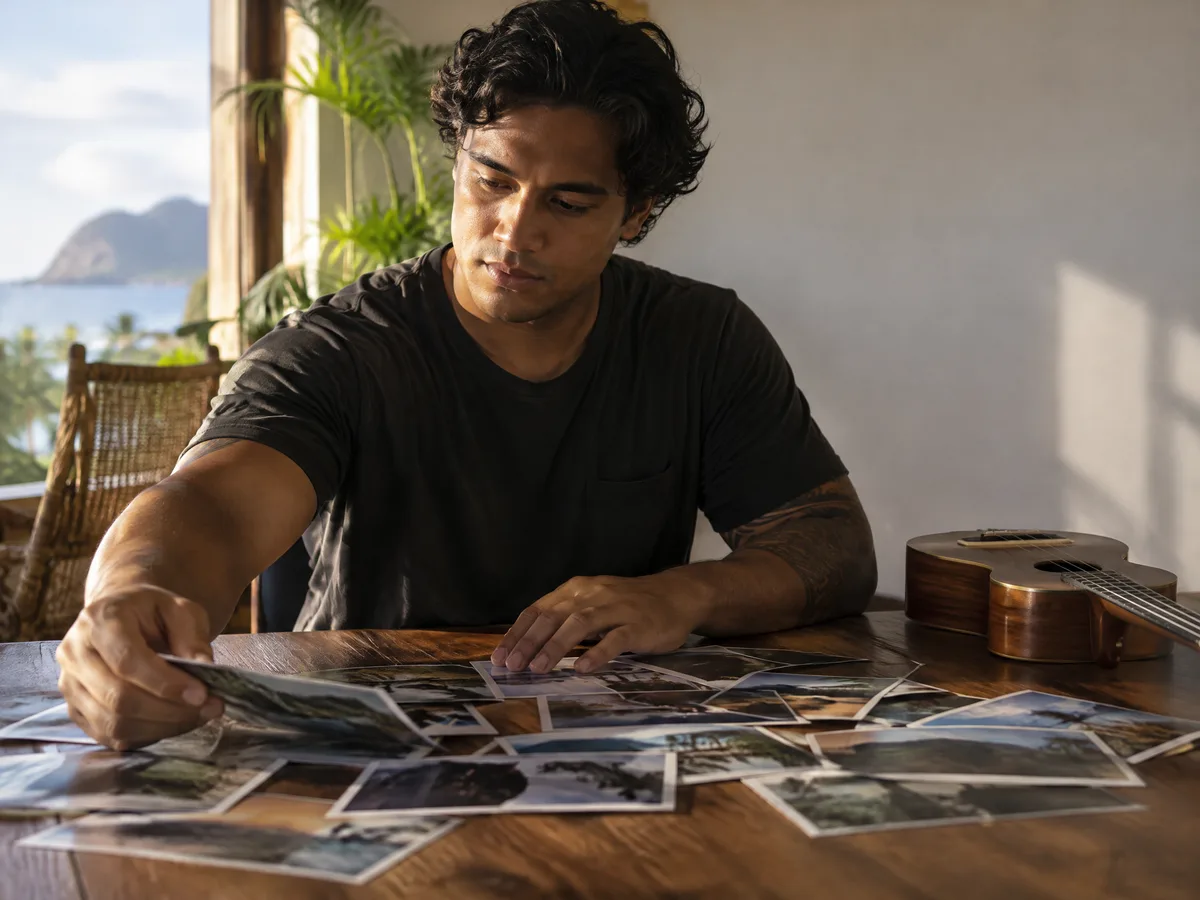
Choose the pictures before the words
Lay out every photo or clip you might use and match them to the sections of the song. Calm, uncluttered backgrounds keep the lyrics easy to read; save the busy shots for the instrumental breaks.
Worked example: timing four lines
Four original lines in LRC style, turned into the moment each one appears on a 30 fps timeline.
| Sung at | Text in at | Frame | On screen |
|---|---|---|---|
| 31.20 | 30.95 | 929 | 3.65 s |
| 34.85 | 34.60 | 1038 | 3.65 s |
| 38.50 | 38.25 | 1148 | 4.60 s |
| 43.10 | 42.85 | 1286 | to the next line |
Text in at = sung time minus 0.25 seconds. Frame = that time multiplied by 30, rounded. Each line stays until the next one comes in, so 3.65 seconds for a short line is plenty; the long third line gets more.
Lyric video sizes for YouTube, Shorts, TikTok and Instagram
Make one master in the shape of the main platform, then a vertical cut for short video apps.
| Where | Shape | Pixels | Note |
|---|---|---|---|
| YouTube video | 16:9 | 1920 × 1080 | The standard landscape upload |
| YouTube Shorts | 9:16 | 1080 × 1920 | Vertical; keep words in the middle band |
| TikTok | 9:16 | 1080 × 1920 | Buttons and captions cover the right side and bottom |
| Instagram Reels | 9:16 | 1080 × 1920 | Same safe area rule as TikTok |
| Instagram feed | 1:1 or 4:5 | 1080 × 1080 or 1080 × 1350 | Square or slightly tall |
The SongDuet way: an AI music video with the lyrics on screen
Honest up front: SongDuet does not give you a lyric template to fill. It makes a music video from your song, and the sung words ride along as subtitles.
What it is. An AI music video. From a finished song and at least one reference photo, an AI director plans the scenes, generates the shots and cuts them on the beat. When the song has vocals, they are transcribed and each line appears at the bottom of the frame, every word brightening as it is sung.
What it is not. A template lyric editor. You do not pick fonts, positions or animations, and you cannot type or correct the words or their timing. If the exact text matters, use the editor method above.
1.Bring the finished song
In the Studio Video section, Music Video mode, upload the audio of your song or pick one with From my library. For a long song, choose the start point of the part that becomes the video.
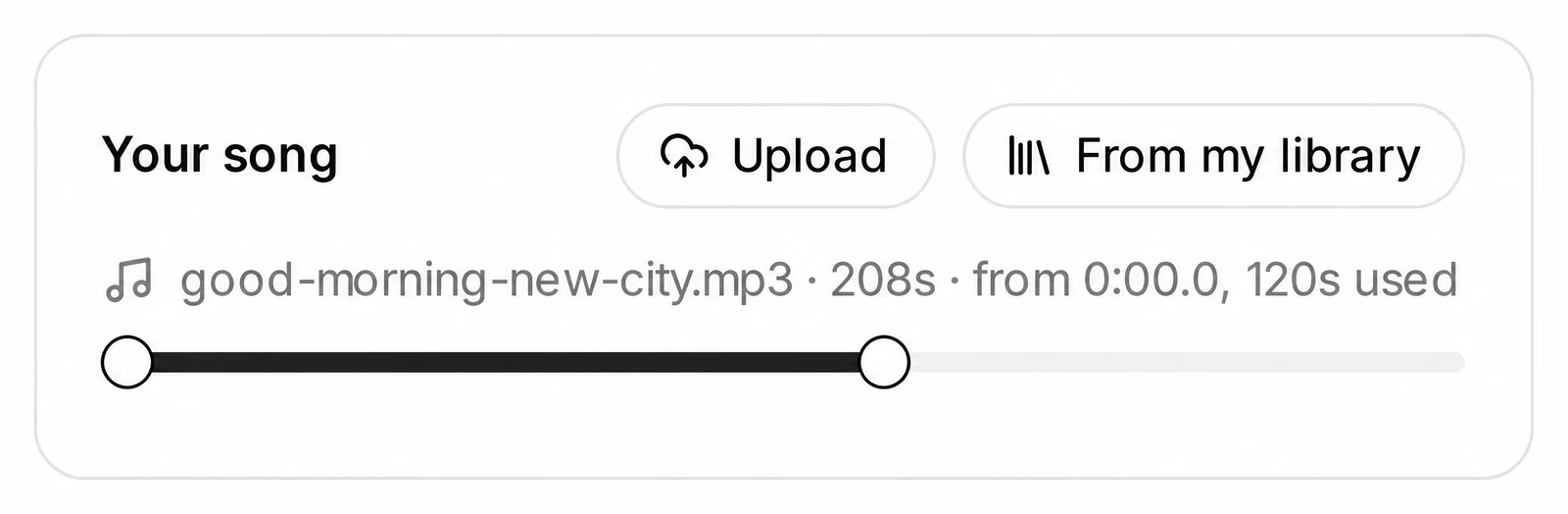
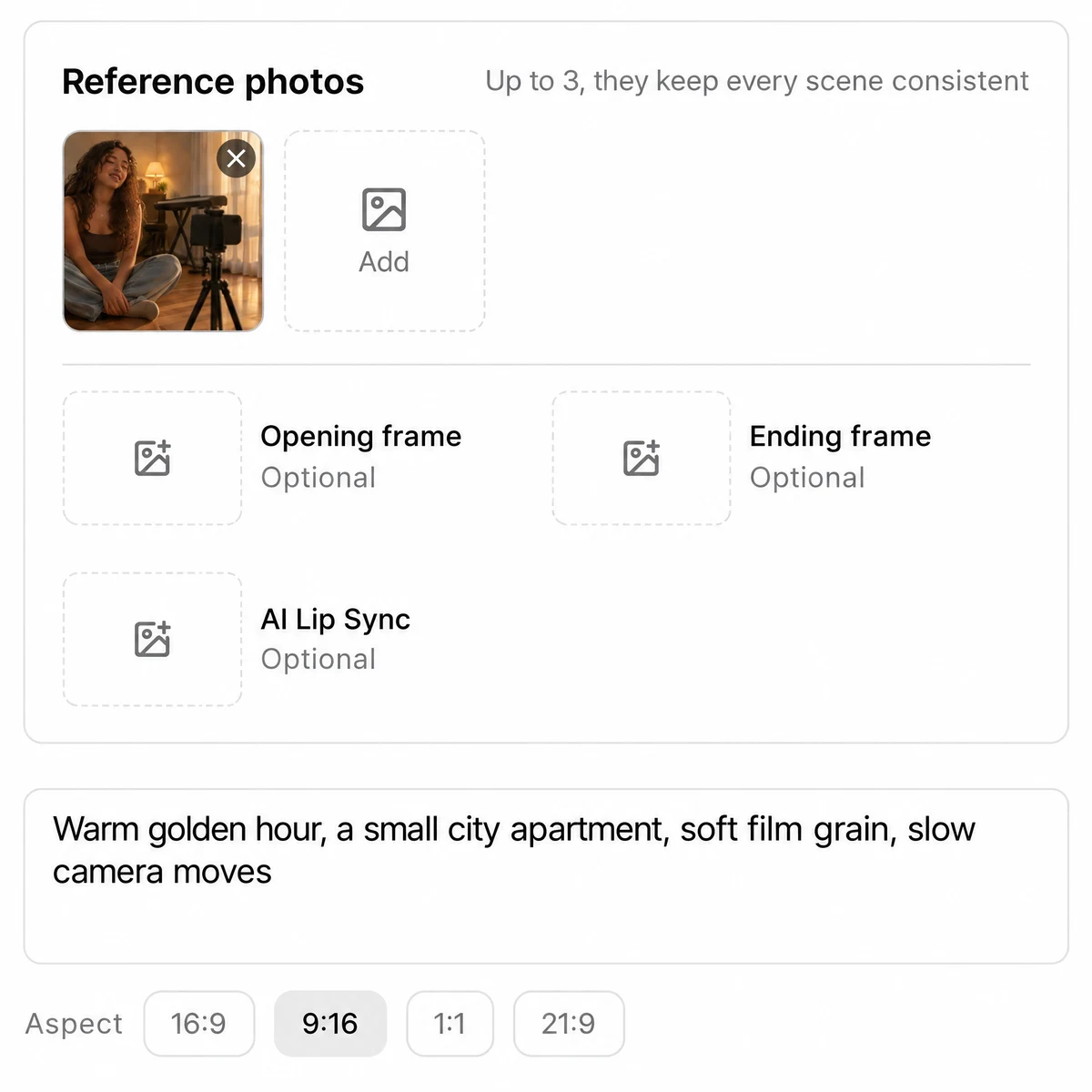
2.Add reference photos and a direction
Add at least one reference photo under Reference photos; it keeps the main character and the look consistent. Opening frame and Ending frame are optional. Write a style direction if you want one, and pick the shape: 16:9 for YouTube, 9:16 for Shorts and TikTok, 1:1 or 21:9.
3.Generate, then review the shots
Press Generate Music Video once the cost on it looks right. Status lines follow the job as it plans, films and edits; when it stops at Review your shots, redo any shot you dislike, then choose Render final video.
4.Download the MP4
Press Download MP4. The video stays under My music videos, and Edit clips lets you choose which shot plays at each cut and render again.
Have a finished song? Turn it into a music video with its lyrics as subtitles.
Open the lyric video maker- Transcribed, not typed. The subtitle words come from listening to the vocals. They can miss or mishear a word, and you cannot type or correct them or their timing.
- No text styling. There is no choice of font, size, position or animation for the lyrics. They sit at the bottom of the frame.
- Instrumental parts stay clean. Passages without vocals get no subtitles, and a song without vocals gets none at all.
- A photo is required. The video needs a song file and at least one reference photo; it cannot be made from lyrics or text alone.
- Long songs are windowed. Only part of a long song is used; you pick where that part starts.
- Account and credits. It runs in the Studio for signed in users and uses credits. The price shows on the button, and a failed job is refunded in full.
Terms you will meet
- LRC
- A plain text lyric format where each line starts with a time in brackets, such as [00:31.20].
- Frame rate
- Pictures per second. At 30 fps, a line that starts at 31 seconds starts on frame 930.
- Safe area
- The part of the frame no app button, caption or progress bar covers.
- Burned in subtitles
- Words drawn into the picture itself, visible everywhere and impossible to switch off.
- Closed captions
- A separate text track the viewer can switch on or off, uploaded next to the video.
- Kinetic typography
- Words that move, scale or animate with the music rather than simply appearing.
- Karaoke highlight
- Each word changes colour or brightness at the moment it is sung.
- Aspect ratio
- The shape of the frame: 16:9 landscape, 9:16 vertical, 1:1 square.
Questions about lyric videos
How long does it take to make a lyric video?
By hand, timing and placing every line of a three minute song usually takes an evening, most of it on timing. An AI music video on SongDuet runs in stages over several minutes, with no fixed time.
Can I make a lyric video on my phone?
Yes. Any phone editor with a text tool works with the same steps. Time the lines first in a notes app while the song plays, then place them; it is far easier than timing on the editing screen.
Can I make a lyric video in iMovie?
Yes. Add one title per lyric line on the timeline, set each to start a moment before the line is sung, and keep the same style for all of them. Export at the size of the platform you are posting to.
How big should the text be?
Big enough to read on a phone held at arm's length. On a video 1080 pixels tall, lettering around 50 pixels high or more is a safe start, with a dark shadow or band behind light text.
Can I post a lyric video of a song I do not own?
You need permission from whoever owns the song and the recording. Uploads of songs you do not have the rights to can be claimed or taken down by the platform.
Can SongDuet put my exact lyrics on screen?
Not word for word. The music video transcribes the sung vocals and shows those lines as subtitles, so a word can be missed or misheard, and there is no field to type or fix them. If you need exact text, use an editor and the steps on this page.
What file should I export?
An MP4 with H.264 video and AAC audio plays everywhere. Match the frame size to the platform and keep the frame rate you edited in.